For years, powerful AI tools lived in the cloud. You typed a prompt, sent your data to remote servers, and waited for a response from platforms like ChatGPT or Claude.
But in 2026, a new shift is happening.
AI is moving from the cloud to your own computer.
Instead of paying monthly subscriptions or sending sensitive data to external servers, developers and creators are building local AI agents that run directly on their machines. These agents can write, automate tasks, browse the web, manage files, and even communicate through messaging apps.
Two tools are powering this shift:
OpenClaw and Ollama.
Together, they create a powerful system where AI models run locally while an intelligent agent performs tasks autonomously.
In this guide, you’ll learn:
- What ollama openclaw actually means
- How the openclaw ollama integration works
- The complete openclaw ollama setup process
- System requirements and best models
- Performance benchmarks and comparisons
- Real-world use cases for local AI agents
By the end of this article, you’ll understand how to run your own private AI assistant directly on your computer.
So, let’s dive in.
Hit ‘Play’ Button & Tune Into The Blog!
The Rise of Local AI Agents

Not long ago, using AI meant depending on remote services. Every message you sent traveled across the internet to be processed by a company’s server.
This approach works, but it comes with limitations:
- Monthly subscriptions
- API usage costs
- Privacy concerns
- Internet dependency
- Limited control over models
Local AI changes this completely.
Instead of sending prompts to a cloud provider, the model runs on your own hardware. This means the AI processes everything locally without external servers.
The ollama openclaw ecosystem makes this practical for everyday users. You get powerful models running on your device and an AI agent capable of performing tasks automatically.
This combination unlocks a new generation of personal automation.
What Is OpenClaw?
OpenClaw is an open-source AI agent platform designed to run on your local computer or server.
Think of it as a digital assistant that doesn’t just chat—it can actually take actions on your system.
Instead of simply answering questions, OpenClaw can:
- Browse websites automatically
- Manage files and folders
- Send messages through chat platforms
- Monitor tasks in the background
- Execute automation workflows
The platform is designed to work with multiple AI providers, but the most powerful use case comes from running openclaw with ollama models locally.
Key Capabilities of OpenClaw
Local execution
OpenClaw runs on:
- Windows
- macOS
- Linux
Everything happens on your machine, meaning full control and privacy.
Messaging integrations
You can control your AI agent through apps like:
- Telegram
- Discord
- Slack
This allows you to interact with your AI assistant from your phone.
Browser automation
The agent can interact with websites, such as:
- Filling forms
- Extracting data
- Monitoring changes
- Checking reservations
File system access
OpenClaw can organize files automatically, create documents, and manage folders.
Proactive tasks
Unlike normal chatbots, OpenClaw can run scheduled automations even when you’re not actively chatting with it.
What Is Ollama?
Ollama is a tool that lets you run large language models locally.
Instead of sending prompts to remote APIs, Ollama downloads AI models directly onto your computer and runs them using your CPU or GPU.
In simple terms:
Ollama is the local model engine, while OpenClaw is the AI agent controlling tasks.
When you combine them, the result is a fully autonomous local AI system.
How Ollama Works
The workflow is simple:
- Install Ollama on your computer
- Download a model (like Llama or Mistral)
- Run the model locally
- Connect the model to applications using an API
This is exactly how the openclaw ollama integration operates.
OpenClaw connects to Ollama’s local server and uses the model to power its reasoning and decisions.
Why Use OpenClaw With Ollama?
Running openclaw with ollama creates a completely private AI environment.
There are several major advantages.
1. Complete Privacy
Your prompts and data stay on your machine.
Nothing is sent to external servers unless you choose to connect cloud APIs.
2. No Monthly Costs
Local models eliminate token-based pricing.
Once the models are downloaded, the system runs without recurring fees.
3. Offline Capability
After setup, the agent can work even without internet access.
This is ideal for secure environments or unreliable networks.
4. Full Customization
You can choose different models depending on your needs:
- Coding models
- Lightweight models
- High-accuracy models
The openclaw ollama setup allows you to experiment freely.
System Requirements for Running Local AI Agents
Before setting up your system, it’s important to check whether your hardware can handle local models.
Minimum Requirements
- Processor: Intel Core i5 or AMD Ryzen 5
- RAM: 8 GB
- Storage: 50 GB
- OS: Windows 10 / macOS / Linux
Recommended Setup
- Processor: Intel i7 or Ryzen 7
- RAM: 16 GB
- GPU: NVIDIA GTX 1660 or better
- Storage: 100 GB
Ideal Setup
- Processor: Intel i9 or Ryzen 9
- RAM: 32 GB
- GPU: NVIDIA RTX 4090
- Storage: 200 GB+
A GPU dramatically improves performance. Models running on CPU alone can be 5–10x slower.
OpenClaw Ollama Setup: Step-by-Step Guide
Now let’s walk through the openclaw ollama setup process.
This setup usually takes 1–2 hours including model downloads.
Step 1: Install Ollama
First, install Ollama from the official website.
After installation, open your terminal and verify the installation using:
ollama –version
If the version number appears, the installation worked successfully.
Step 2: Download Your First AI Model
Next, download a model to run locally.
A good starting point is the Llama 3 8B model, which balances performance and speed.
Run:
ollama pull llama3
Other popular models include:
- Mistral
- Qwen
- Phi
- DeepSeek
Smaller models run faster, while larger models provide better reasoning.
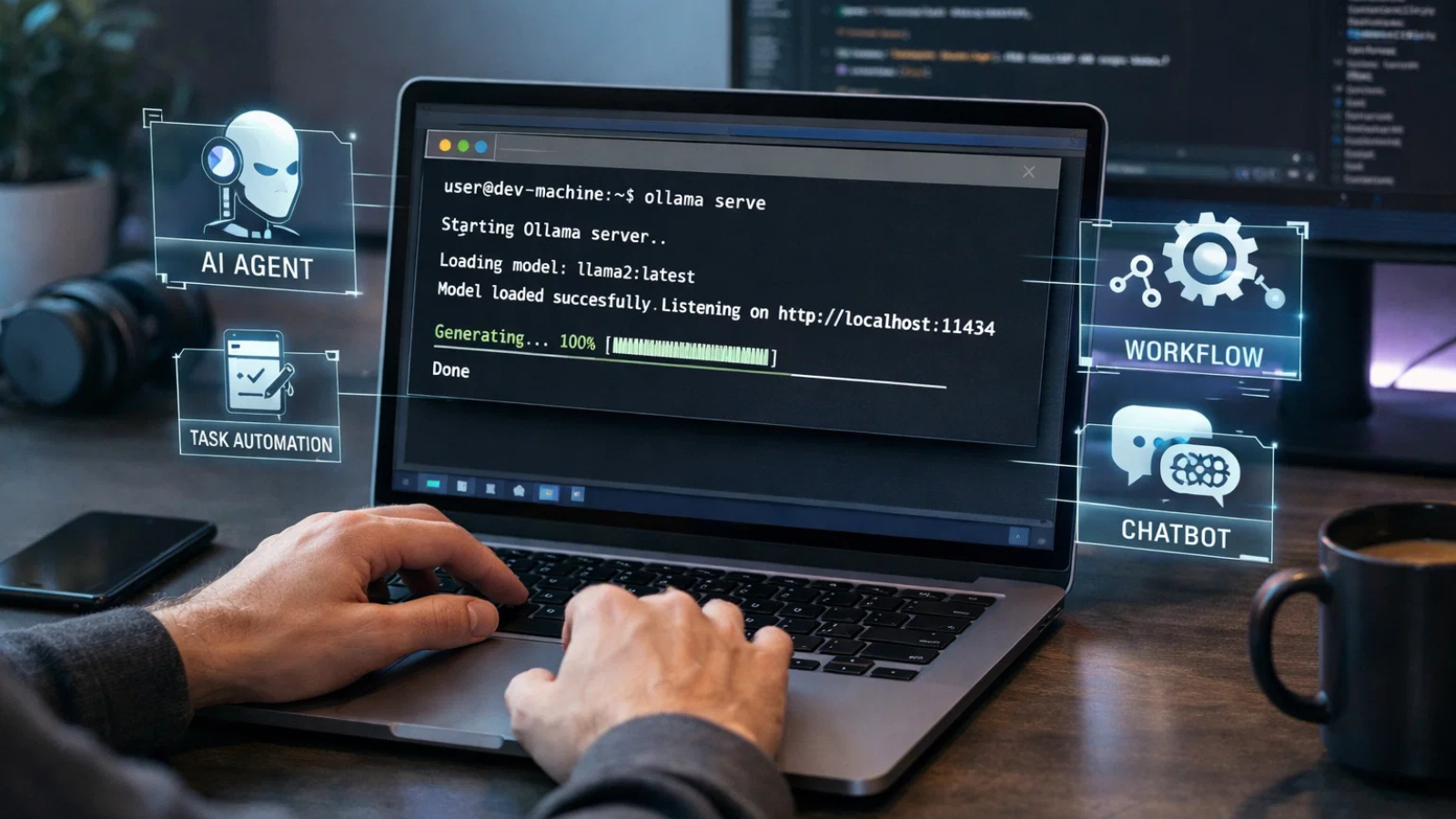
Step 3: Start the Ollama Server
OpenClaw communicates with Ollama through a local API.
To start the server, run:
ollama serve
The server will begin listening on a local port.
This allows other applications to send prompts to the model.
Step 4: Install OpenClaw
Once Ollama is ready, install OpenClaw.
The easiest way is using the automated install script, which handles dependencies and configuration.
The installation process prepares the environment and launches the onboarding wizard.
Step 5: Configure the OpenClaw Ollama Integration
During setup, OpenClaw asks which AI provider you want to use.
Select Local Ollama.
You will then enter the local server address:
http://127.0.0.1:11434
OpenClaw will connect to the running Ollama instance and detect available models.
After selecting your preferred model, the integration is complete.
This is the core of the openclaw ollama integration.
Testing Your Local AI Agent
Once the setup is finished, it’s time to test your system.
Local Chat Test
Open the OpenClaw dashboard in your browser and send a simple prompt.
For example:
“Calculate 15 × 23 + 42.”
If everything works correctly, the response will be generated by the local model running through Ollama.
No internet request is required.
Messaging Test
If you connected Telegram or another messaging platform, send a message to your bot.
The AI agent will respond using the locally hosted model.
This means you can interact with your private AI assistant from anywhere.
Performance Benchmarks for Popular Models
Performance depends heavily on hardware.
Below are common observations from real-world tests.
|
Model |
Speed |
Quality |
Best Use |
|
Phi-3 |
Very Fast | Good |
Older laptops |
|
DeepSeek |
Extremely |
Basic |
Lightweight tasks |
|
Mistral |
Fast |
Excellent |
Balanced performance |
|
Llama 3 |
Moderate |
Excellent |
General reasoning |
| Qwen | Moderate | Excellent |
Coding tasks |
For most users, 7B models offer the best balance between speed and intelligence.
OpenClaw vs Other Local AI Platforms
Many local AI tools exist, but OpenClaw offers several unique advantages.
|
Feature |
OpenClaw | GPT4All | LM Studio | Jan |
|
Local models |
Yes | Yes | Yes | Yes |
|
Messaging integration |
Yes | No | No | No |
| Browser automation | Yes | No | No |
No |
| Scheduled tasks | Yes | No | No |
No |
| Open source | Yes | Yes | Partial |
Yes |
The biggest difference is automation.
Most tools focus on chatting with models. OpenClaw focuses on turning models into autonomous agents.
Real-World Use Cases
Once your system is running, you can automate many tasks.
1. Email Monitoring
Your agent can:
- Scan inbox messages
- Identify urgent emails
- Send summaries to Telegram
2. Content Creation
Writers and marketers can use the system to:
- Generate outlines
- Draft articles
- Suggest SEO improvements
All without exposing ideas to external services.
3. Website Monitoring
Businesses can automate competitor research.
For example:
- Track price changes
- Monitor product pages
- Generate alerts when updates occur
4. File Organization
The agent can rename documents, sort invoices, and organize files automatically.
Cost Breakdown
One of the biggest reasons developers choose the ollama openclaw stack is cost.
Local Setup
| Item | Cost |
| OpenClaw | Free |
| Ollama | Free |
| AI Models | Free |
| Monthly Cost |
$0 |
The only real expense is electricity.
Cloud AI Comparison
Typical cloud usage costs:
- Light use: $150 per month
- Professional use: $300+ per month
- Heavy automation: $900+ per month
Running locally removes these recurring costs entirely.
Security Considerations
Local AI agents have powerful capabilities, so security matters.
Follow these best practices:
Use strong authentication
Limit who can interact with your messaging bot.
Restrict file access
Only allow the agent to access specific folders.
Monitor logs
Review actions taken by the agent to ensure everything works safely.
Keep software updated
Regular updates improve security and performance.
Read More –
Can OpenClaw Be Enterprise-Grade? We Tested It for 6 Months
Install Openclaw In 5 Minutes (Seriously): The Fastest Setup Guide
The Future of Local AI Agents

The combination of OpenClaw and Ollama represents a larger trend.
AI is moving toward:
- Local processing
- Privacy-first architecture
- Autonomous task execution
- Lower operating costs
Instead of renting AI capabilities from cloud providers, individuals and companies are starting to own their AI infrastructure.
As organizations explore this shift toward private AI infrastructure, many are also working with specialized AI development partners to design custom agent systems tailored to their workflows. Companies like Globussoft AI help businesses build and deploy enterprise-grade generative AI agents, integrating models, automation pipelines, and real-world business systems into a unified AI ecosystem.
How Globussoft AI Simplifies the Ollama OpenClaw Workflow

While tools like OpenClaw and Ollama make local AI experimentation accessible, deploying AI agents at scale inside organizations requires deeper engineering expertise.
That’s where companies like Globussoft AI play an important role.
Globussoft AI specializes in building enterprise-grade generative AI solutions designed to automate workflows, improve decision-making, and integrate intelligent agents into real business environments.
Instead of just experimenting with local AI tools, businesses can work with expert teams to design production-ready AI systems that combine large language models, automation frameworks, and secure data pipelines.
Core Generative AI Services
Globussoft AI provides a wide range of AI development services, including:
AI Agent Development
Design and deploy intelligent agents that automate workflows, handle repetitive tasks, and deliver personalized customer interactions.
LLM-Powered Chatbots & Knowledge Systems
Build chatbots powered by large language models that can access internal knowledge bases, answer queries, and support customers or employees.
LLM Testing and Fine-Tuning
Improve model accuracy and performance through dataset tuning, evaluation frameworks, and optimization techniques.
AI/ML Consulting and Integration
Integrate generative AI into existing systems such as CRM platforms, internal dashboards, customer support tools, and enterprise databases.
AI/ML Pipeline Development
Build scalable pipelines for model training, deployment, and continuous improvement.
Why Businesses Choose Globussoft AI
Organizations choose Globussoft AI because of their end-to-end approach to generative AI implementation.
Their teams handle the complete lifecycle:
- Strategic discovery and use-case analysis
- Data preparation and architecture design
- Model development and validation
- Fine-tuning and optimization
- Deployment and ongoing AI system support
This structured process ensures that AI solutions deliver real business outcomes rather than experimental prototypes.
Final Thoughts
Running AI locally used to be complicated and expensive.
Today, tools like ollama openclaw make it accessible to developers, creators, and businesses alike.
By combining a powerful model engine with an automation-focused AI agent platform, you can build a system that:
- Works privately
- Runs offline
- Automates real tasks
- Costs almost nothing to operate
If you want to explore the future of personal AI infrastructure, starting with openclaw with ollama is one of the smartest decisions you can make.
Install the tools, experiment with models, and begin building your own local AI agent.
The era of private, autonomous AI has officially begun.
FAQs
- What is Ollama OpenClaw?
Ollama OpenClaw is a local AI setup where Ollama runs large language models on your device while OpenClaw acts as the autonomous agent that performs tasks like browsing, automation, and messaging. - Do I need a GPU to run Ollama OpenClaw?
No, you can run the ollama openclaw setup on CPU, but a GPU significantly improves speed and performance when running larger models. - Is Ollama OpenClaw completely free to use?
Yes. Both tools are open-source, so the ollama openclaw stack has no subscription cost after installation. The only cost is your local hardware and electricity. - Can Ollama OpenClaw run without internet?
Yes. Once the models are downloaded, the ollama openclaw environment can run fully offline, making it ideal for private or secure workflows. - What can you automate using Ollama OpenClaw?
With the ollama openclaw agent setup, you can automate tasks like website monitoring, file organization, message responses, and content drafting directly from your local AI assistant.