There’s a meaningful difference between an AI that answers your questions and an AI that completes your tasks. OpenClaw Gemini represents the latter. By combining OpenClaw, one of the fastest-growing open-source AI agent frameworks, with Google’s Gemini models, you get a system that doesn’t wait for prompts. It reasons, plans, and acts autonomously across your files, apps, APIs, and messaging channels.
OpenClaw has become the 5th most-starred repository on GitHub globally, ahead of every project except those that are over a decade old, and much of that growth has been driven by the accessibility of Gemini’s free API tier as the model powering agents. This guide covers what OpenClaw is, how it integrates with Gemini, how to set it up, and what you can actually do with it.
In a hurry? Listen to the blog instead!
What Is OpenClaw?
OpenClaw (formerly known as Clawdbot and Moltbot) is an open-source agentic runtime, a framework that gives large language models the ability to take actions in the real world rather than just generate text. Think of it as the central nervous system connecting an LLM’s reasoning capability to your computer’s actual capabilities: your file system, terminal, browser, calendar, email, and external APIs.
The critical insight behind OpenClaw is that it flips the traditional integration model. Before frameworks like this, if you wanted an LLM to do something in the real world, send an email, update a ticket, pull data from a website, a developer had to write the integration code manually. OpenClaw gives the LLM itself the ability to write, save, and execute that code. The LLM becomes the developer. You communicate with it in natural language.
Core Features Of OpenClaw
Autonomous task execution, agents run scheduled and triggered workflows without manual prompting
Tool integration, built-in support for calling external APIs, running shell commands, browsing the web, and interacting with databases
In multi-agent systems, agents can spawn sub-agents, creating hierarchies that mirror real-world workflows
Three-tier memory, short-term context, daily logs, and a searchable long-term archive
Channel integration, interact with the same agent via Telegram, WhatsApp, Discord, or direct CLI from any device
Model-agnostic, works with Gemini, Claude, GPT, DeepSeek, Llama, and others; switch models per task
Why Developers Are Using OpenClaw for AI Automation
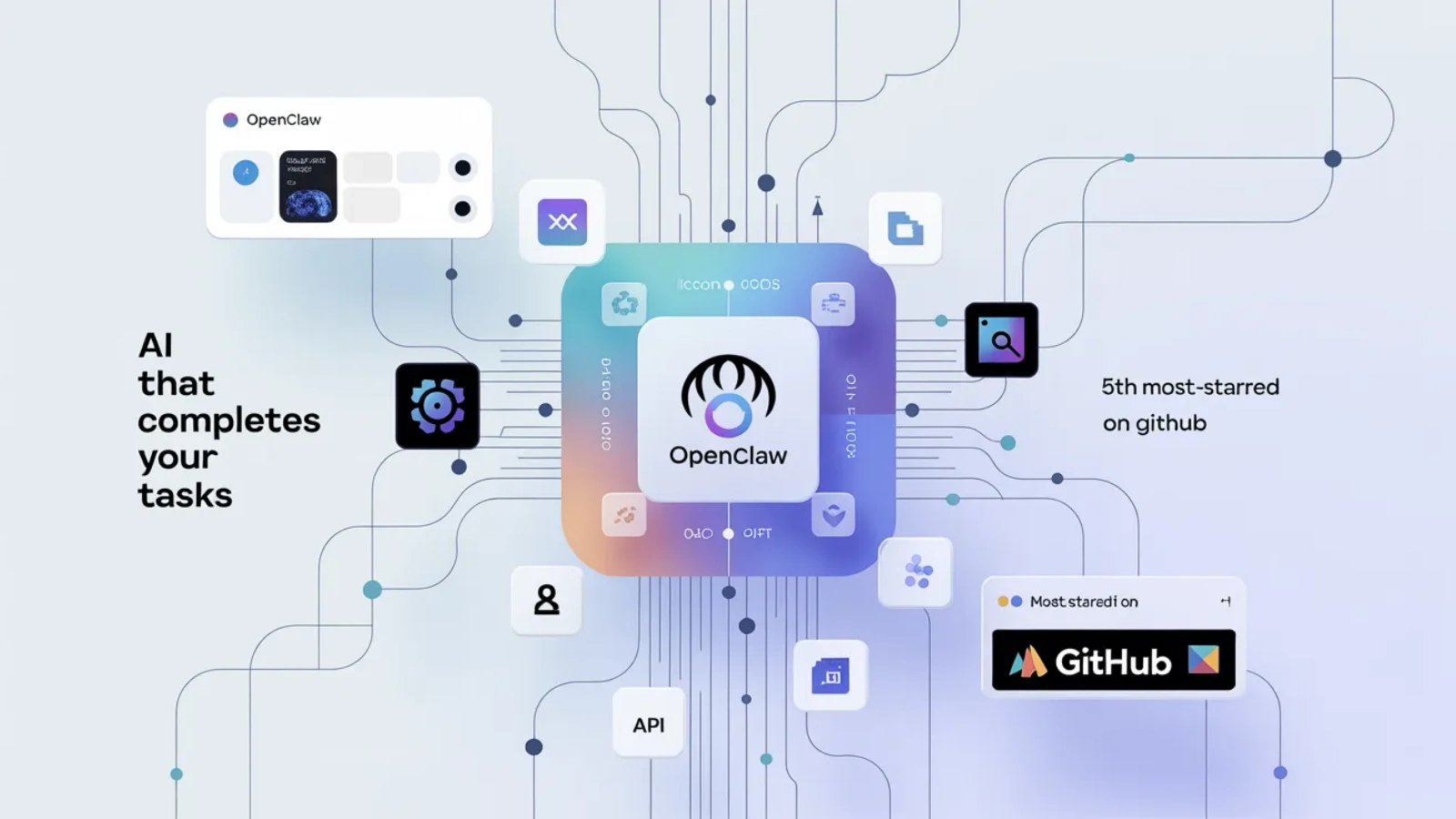
OpenClaw’s adoption has been driven by one practical advantage over competing frameworks: it runs where your data lives, not in someone else’s cloud. Deployed on a VPS or local machine inside a Docker container, the agent operates 24/7 with your API keys, your files, and your integrations, without sending your workflow data to a third-party platform. For developers who want a proactive personal or business assistant with full data sovereignty, this architecture is the appeal.
What Is Gemini AI, And Why It Works Well With OpenClaw?
Gemini is Google’s family of multimodal large language models, developed by Google DeepMind. The models support text, images, and video as input, and are available through Google AI Studio’s API with one of the most generous free tiers among major LLM providers, up to 60 requests per minute on Gemini Flash and 1,000 requests per day at no cost.
For OpenClaw specifically, Gemini has become the recommended starting model for new users. The free tier eliminates API cost during setup and experimentation, the large context windows (1 to 2 million tokens depending on model) support the long task histories that agentic workflows generate, and the reasoning capability of Gemini Pro models handles the multi-step planning that complex agent tasks require.
Gemini Model Options in OpenClaw
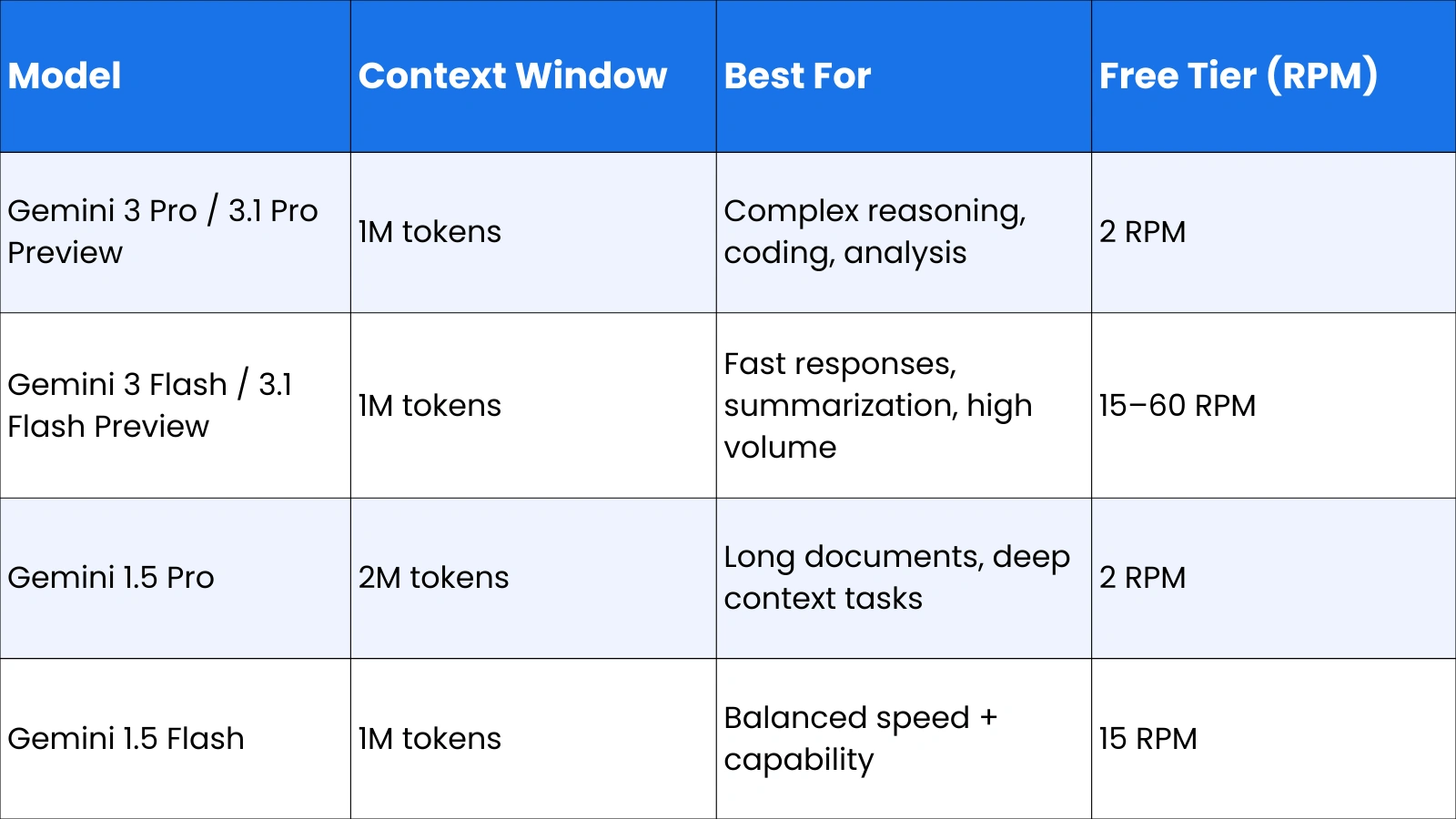
OpenClaw’s model configuration is flexible; you can set a primary model for complex reasoning tasks and a fallback model for simpler, high-frequency operations, keeping API costs manageable while maintaining capability where it matters.
Also Read!
OpenClaw Github: How To Unlock Its Full Enterprise AI Power?
OpenClaw Telegram: How to Set Up and Automate Your Workflow Easily
What Is OpenClaw Gemini?
OpenClaw Gemini refers to the integration of the OpenClaw agent framework with Google’s Gemini models as the reasoning engine. When you configure OpenClaw with Gemini, the Gemini model serves as the agent’s brain, receiving task descriptions, planning the steps required to complete them, deciding which tools to call, interpreting the results, and continuing until the goal is achieved.
The integration is not just a simple API connection. OpenClaw handles the full agentic loop on behalf of Gemini: it manages the conversation history, formats tool call requests in the structure Gemini expects, processes the tool results and feeds them back into the model context, and maintains the memory state across sessions. Gemini provides the intelligence; OpenClaw provides the operational infrastructure that turns that intelligence into real-world action.
OpenClaw With Gemini: How the Architecture Works
The flow of a typical task through OpenClaw with Gemini follows a consistent pattern:
- User sends a natural language request via Telegram, WhatsApp, Discord, or CLI
- OpenClaw formats the request with system context, tool definitions, and memory state
- Gemini receives the formatted prompt and determines the plan, what tools to call, and in what order
- OpenClaw executes the tool calls (file reads, API calls, shell commands, web searches)
- Tool results are returned to Gemini for interpretation and next-step planning
- The loop continues until the task is complete and a final response is delivered to the user
This loop is what distinguishes an AI agent from a chatbot. A chatbot responds once. An agent iterates until the goal is met.
How OpenClaw Works With the Gemini API
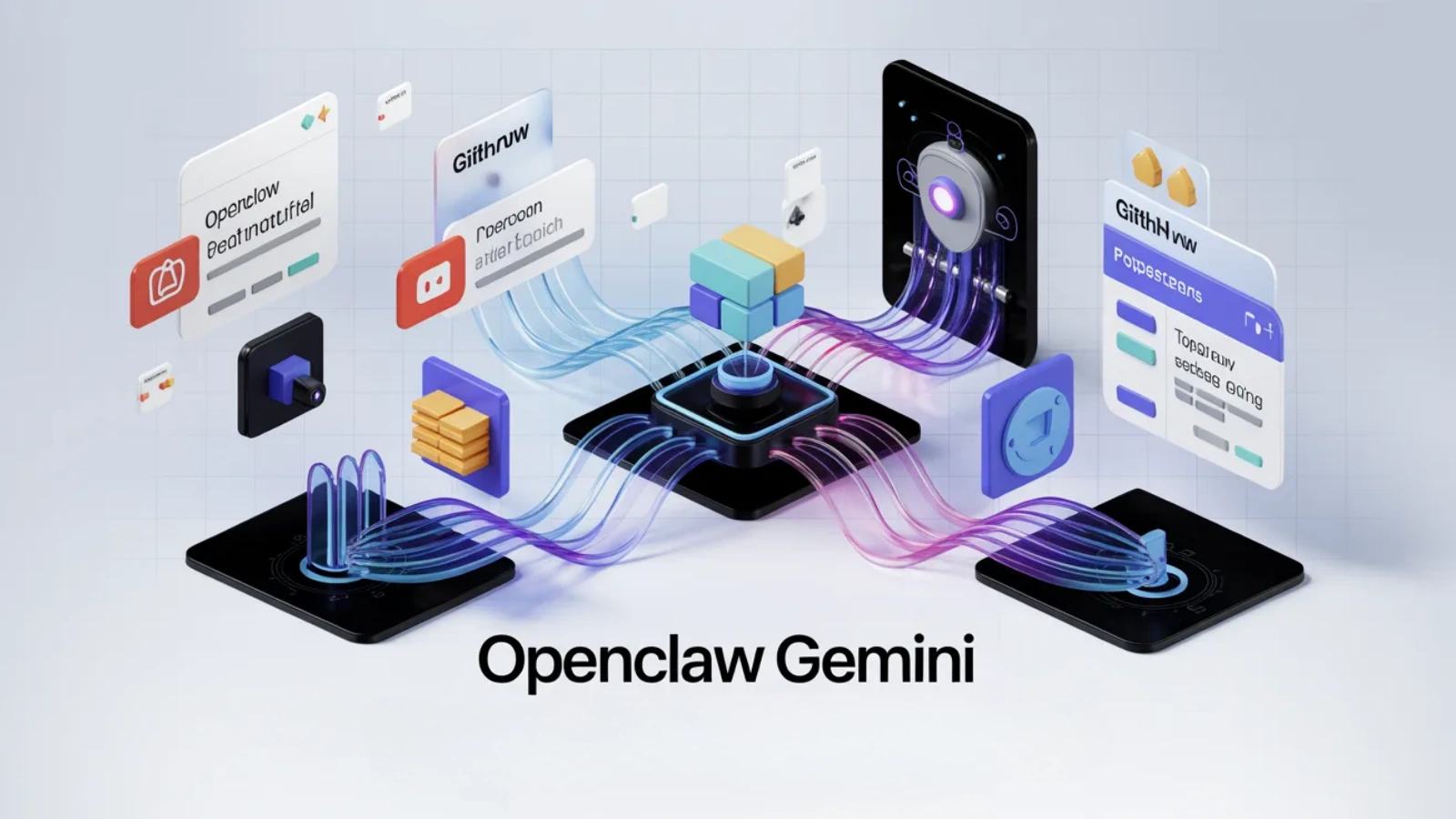
The Gemini API is the technical bridge between OpenClaw and Google’s models. Every reasoning step, tool call decision, and response generation passes through the API. Understanding how to configure it correctly is the foundation of a working OpenClaw Gemini setup.
Steps to Connect OpenClaw With the Gemini API
Setting up OpenClaw with the Gemini API requires a few straightforward steps:
- Get your Gemini API key, visit Google AI Studio (aistudio.google.com), click Get API Key, and copy the generated key. No credit card is required for the free tier.
- Store the key, add it to your OpenClaw environment configuration as GEMINI_API_KEY or GOOGLE_API_KEY in a .env file in your project directory
- Configure the model, run the setup wizard with:
openclaw onboard –auth-choice gemini-api-key
- Set your primary model in the OpenClaw config:
agents: { defaults: { model: { primary: “google/gemini-3-flash-preview” } } }
- Restart OpenClaw and verify the connection:
openclaw restart
For key rotation across multiple projects, OpenClaw supports environment variables GEMINI_API_KEY_1, GEMINI_API_KEY_2, and OPENCLAW_LIVE_GEMINI_KEY as sequential fallbacks.
Gemini Pro for OpenClaw: When and Why to Use It
The choice between Gemini Pro and Gemini Flash is one of the most practical decisions in an OpenClaw Gemini setup. Gemini Flash is faster and cheaper; it handles the majority of agent tasks efficiently and is the right default for most workflows. Gemini Pro for OpenClaw earns its place for tasks that require deeper reasoning.
Benefits of Gemini Pro for OpenClaw
Superior multi-step reasoning, better at planning complex workflows that require conditional logic across many steps
Stronger coding capability, more reliable for agents that write, review, or debug code as part of their workflow
More accurate tool selection, lower rate of hallucinating tool calls, or misinterpreting ambiguous instructions
Handles nuanced instructions, better at following complex, multi-part user requests accurately
Gemini Pro vs Gemini Flash for OpenClaw: Which to Use
Use Gemini Flash as your primary model for: summarization tasks, information retrieval, message drafting, calendar management, habit tracking, and any high-frequency routine task where speed matters more than reasoning depth. Flash’s free tier rate limits (15 to 60 RPM) make it practical for always-on agents.
Switch to Gemini Pro for: complex coding tasks, multi-document analysis, workflows requiring precise conditional logic, and any task where an incorrect tool call would cause a meaningful problem. A common pattern is configuring Flash as the primary model and Pro as a fallback for tasks the agent flags as complex. OpenClaw’s model failover configuration supports this natively.
Using Gemini CLI With OpenClaw
The Gemini CLI is Google’s command-line interface for interacting with Gemini models directly from the terminal. In the context of OpenClaw, the Gemini CLI provides an alternative authentication path and a direct interface for running Gemini-powered agent tasks from the command line.
How Gemini CLI Connects to OpenClaw
OpenClaw supports Gemini CLI OAuth as an integration method, though it’s documented as an unofficial integration. The primary practical use is enabling Yolo Mode, removing the confirmation prompts that would otherwise interrupt autonomous task execution. In the Gemini CLI interface, pressing Ctrl + Y toggles Yolo Mode, allowing OpenClaw to execute search commands, file reads, and tool calls without requesting human approval at each step.
For running Gemini models locally or through a proxy, OpenClaw also supports configuration via OpenRouter, a unified API endpoint that routes requests to Gemini and other models through a single interface. This is useful for developers who want to compare model performance across providers or manage billing centrally:
agents: { defaults: { model: { primary: “openrouter/google/gemini-2.0-flash-exp” } } }
Real-World Use Cases of OpenClaw With Gemini
The practical value of OpenClaw Gemini is best understood through what it actually does in deployment.
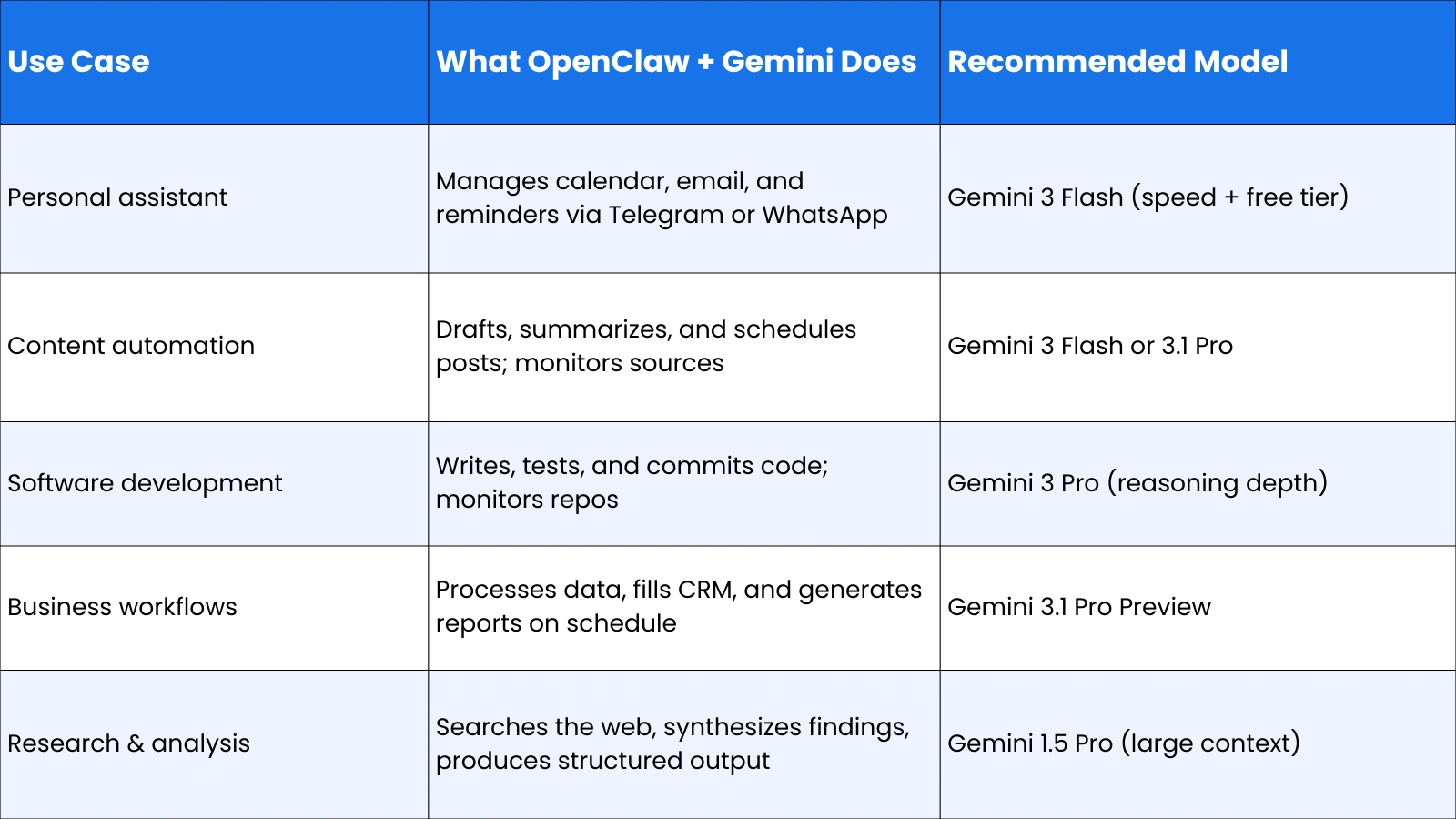
Personal Productivity Assistant
The most common deployment pattern is a personal assistant that runs 24/7 on a VPS, connected via Telegram or WhatsApp. Using Gemini Flash for speed and cost efficiency, the agent manages Google Calendar and Gmail via the Google CLI, tracks habits in markdown files synced to a private GitHub repo, creates reminders and follow-ups, and responds to natural language instructions from any device. The total infrastructure cost, a basic VPS plus Gemini’s free tier, runs to approximately $5 to $10 per month.
Software Development Agent
For developers, OpenClaw with Gemini Pro monitors GitHub repositories, writes and tests code, drafts pull request descriptions, and flags anomalies in commit history. Running inside a Docker Dev Container isolates the agent’s system access; if the model hallucinates a destructive command, it only affects the disposable container, not the host machine. This safety architecture is the recommended setup for any agent with shell execution permissions.
Business Workflow Automation
Enterprises and freelancers use OpenClaw Gemini to automate recurring business workflows: pulling data from APIs and formatting it into reports, monitoring competitive intelligence sources and summarizing changes, processing inbound emails and routing or responding to them, and updating CRM records based on communication history. The proactive scheduling capability, agents that run on cron without user prompting, is what makes this category of use case possible.
Limitations And Security Considerations
OpenClaw’s power comes with genuine security responsibilities that every user should understand before deployment.
- System access risk: OpenClaw takes system-level permissions and can read, write, and execute files on the host machine. Running it directly on a personal computer exposes personal data to prompt injection risks. Always deploy inside a Docker container on a VPS.
- API cost management, agentic tasks consume significantly more tokens than simple chat interactions. A task that would cost 1x in a chatbot might cost 50x in an agent that searches, reads, iterates, and responds. Set hard monthly spending caps in your Google AI Studio dashboard.
- Gemini CLI OAuth caveat: OpenClaw’s documentation explicitly marks Gemini CLI OAuth integration as unofficial. For production deployments, use the standard API key method.
- Plugin security, third-party plugins connecting OpenClaw to external services (Composio, MCP servers) handle credentials and API tokens. Review the security practices of any plugin before granting it access to sensitive accounts.
- Data privacy, while OpenClaw runs locally, the prompts and task content sent to the Gemini API pass through Google’s infrastructure. Avoid including highly sensitive personal or business data in agent tasks unless you’ve reviewed Google’s data handling policies for API usage.
OpenClaw Expert Services by Globussoft.AI: Build, Deploy, And Scale AI Agents
If you are planning to use OpenClaw in a real-world setup, you need more than just installation. You need proper architecture, integrations, and continuous optimization.
Globussoft.AI offers OpenClaw expert services that help you go from testing AI agents to actually running them in production across your business workflows.
Key Features of OpenClaw Expert Services
OpenClaw Gateway Setup: Globussoft.AI handles full deployment of your OpenClaw environment, connecting it with platforms like WhatsApp, Telegram, Slack, and APIs. Everything is configured for secure, scalable usage.
Custom AI Agent Development: They build AI agents tailored to your exact workflows, whether it’s automation, reporting, customer support, or internal operations.
Multi-Agent Orchestration: Instead of one agent doing everything, Globussoft.AI designs systems where multiple agents collaborate, each handling specific tasks for better efficiency.
Voice & Conversational AI: They set up AI voice agents and chat systems using tools like Twilio and TTS, enabling real-time, human-like interactions.
AI Consulting & Strategy: Globussoft.AI helps identify where AI will actually drive results in your business, then builds a clear roadmap focused on ROI.
Managed AI Operations: From monitoring to performance tuning, they manage your AI systems continuously so everything runs smoothly as you scale.
The Future Of OpenClaw Gemini And Agentic AI
OpenClaw’s trajectory reflects the broader direction of AI development: toward systems that are less like tools you use and more like colleagues that work alongside you. The upcoming features on OpenClaw’s roadmap, a community marketplace for sharing agent templates, GPU acceleration for local model inference, and expanded multi-modal support, point toward agents that are faster, more capable, and more accessible to non-developers.
Gemini’s role in this trajectory is significant. Google’s commitment to maintaining a generous free tier for developers makes Gemini the most accessible high-capability model for always-on agents, which is why it has become the default recommendation for new OpenClaw deployments. As Gemini models continue to improve their reasoning capability and context handling, the tasks OpenClaw can execute reliably will expand correspondingly.
The architectural principles OpenClaw represents, flexible input channels, model-agnostic LLM integration, autonomous code execution, persistent memory, and proactive scheduling, will underpin the next generation of AI applications regardless of which specific frameworks dominate. Understanding how OpenClaw Gemini works today is useful preparation for that landscape.
Frequently Asked Questions About OpenClaw Gemini
What is OpenClaw Gemini?
OpenClaw Gemini is the integration of the OpenClaw open-source AI agent framework with Google’s Gemini models as the reasoning engine. OpenClaw handles task execution, tool calling, memory management, and channel integration; Gemini provides the natural language understanding and multi-step planning. Together, they create an autonomous agent that can complete real-world tasks across files, apps, and APIs without step-by-step human instruction.
Is OpenClaw open source?
Yes. OpenClaw is fully open source, available on GitHub, and free to download and self-host. Running it in production involves infrastructure costs (a VPS is the recommended deployment environment) and LLM API costs, but there are no licensing fees. Gemini’s free tier makes it possible to run a functional OpenClaw agent at minimal cost during setup and light-use phases.
Can OpenClaw work with the Gemini API?
Yes, Gemini is one of the natively supported model providers in OpenClaw. Setup requires a Google AI Studio API key, which is free to obtain, and a one-line configuration change to set Gemini as the primary model. OpenClaw supports multiple Gemini models, including Gemini 3 Pro Preview, Gemini 3 Flash Preview, Gemini 1.5 Pro, and Gemini 1.5 Flash, configurable per agent or per task type.
What is the difference between Gemini Pro and Gemini Flash for OpenClaw?
Gemini Flash is faster, cheaper, and has a more generous free tier rate limit (15 to 60 RPM). It’s the right default model for routine agent tasks like summarization, reminders, email drafting, and information retrieval. Gemini Pro offers deeper reasoning and stronger coding capability, making it better suited for complex multi-step workflows, code generation tasks, and situations where reasoning accuracy is more important than response speed.