
Every developer reaches a stage where managing code changes becomes more difficult than writing the code itself. Files get replaced, experiments break working features, and collaboration creates confusion about which version is correct. Version control exists to solve this. It tracks changes, preserves history, and allows developers to work without worrying about losing progress.
This is where GitHub becomes essential. It is not simply a place to store code. It works as a shared environment where development happens over time, across teams, and often in public. From beginners building their first projects to global engineering teams delivering complex systems, GitHub has become the default platform for managing code and collaboration.
In this guide, you will understand what GitHub is, how developers use it in everyday work, how real workflows operate, and how it contributes to career growth beyond basic coding.
Listen To the Podcast
What is GitHub?
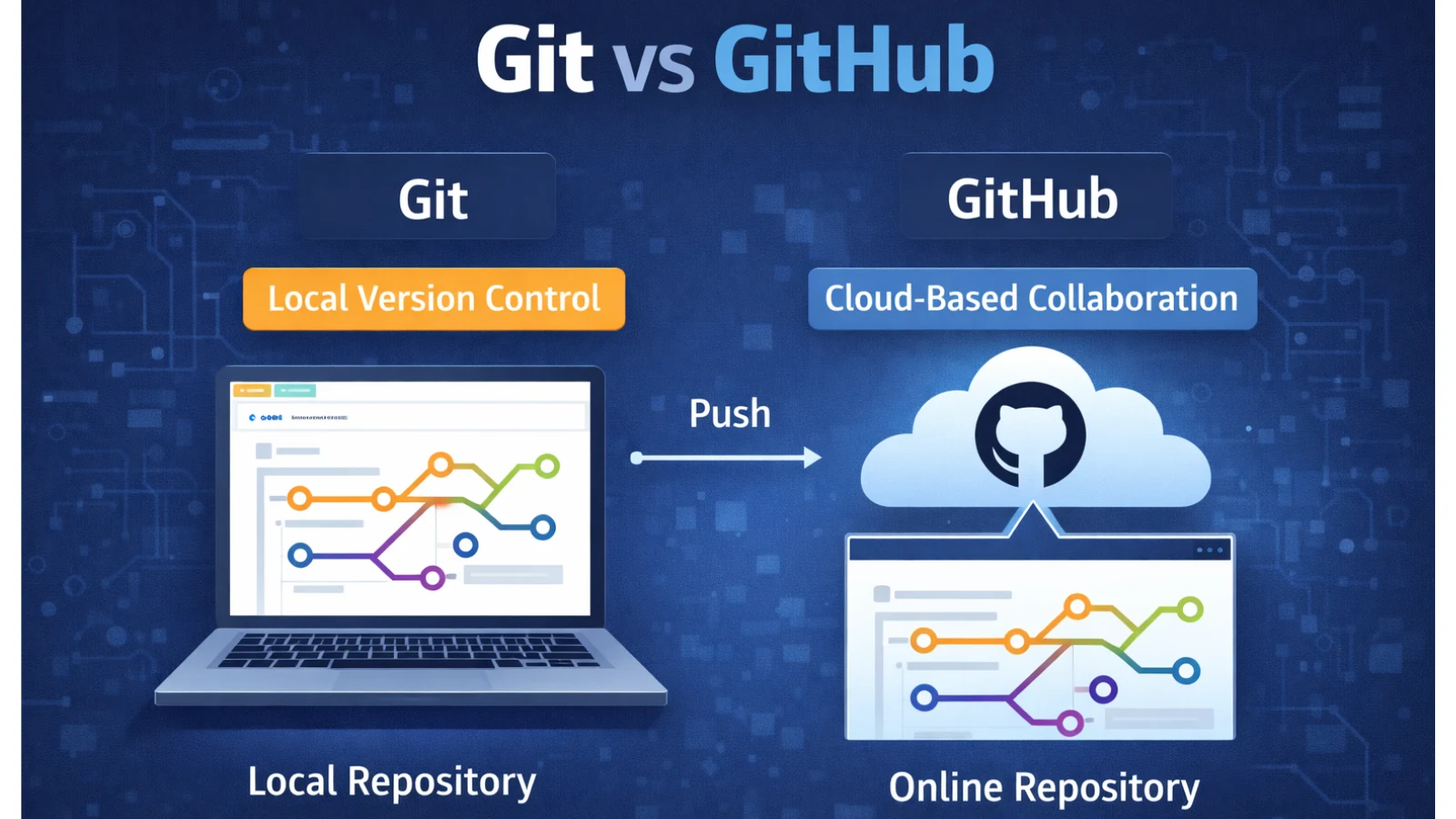
GitHub is a cloud platform built around Git, the version control system developers use to track code changes. Git operates locally on a developer’s machine, while GitHub extends that capability by hosting repositories online and enabling collaboration.
This difference is important. Git records changes. GitHub provides the environment where those changes are shared, reviewed, and organized.
At its core, GitHub hosts repositories. A repository contains the complete history of a project, including code, documentation, configuration, and change logs. Because repositories live online, they can be accessed from anywhere by anyone with the right permissions.
The platform matters because modern development rarely happens alone. Teams need visibility into changes, a structured way to review work, and a reliable history when something breaks. GitHub provides that structure.
Today, individual developers, startups, enterprises, open-source communities, designers, and technical writers all rely on GitHub. It functions less like storage and more like the backbone of collaborative software creation.
How Developers Use GitHub in Daily Work
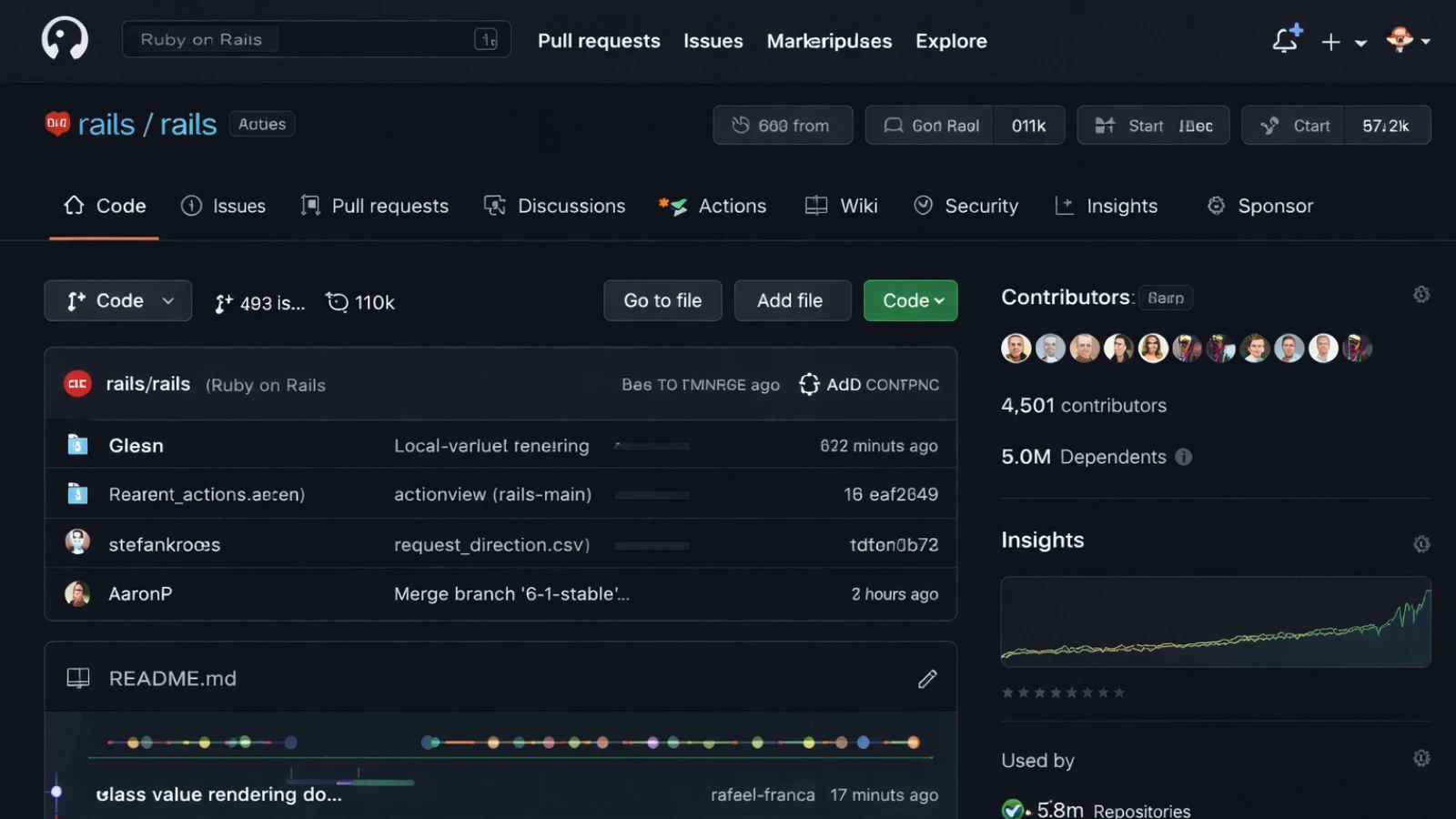
In daily work, GitHub becomes the central hub for most code-related activity.
The most obvious use is storing code so it is backed up and accessible. Its real value appears once collaboration begins. Multiple developers can work on the same project without overwriting each other’s progress.
Version history is another major benefit. Every change is recorded. When bugs appear, teams can trace when they were introduced and understand the reasoning behind them.
Open source development also lives on GitHub. Developers explore projects, learn patterns, fix issues, and contribute improvements. This makes GitHub both a learning platform and a professional network.
Many open-source projects gain massive traction in a very short time when they introduce something innovative. A recent example is the OpenClaw AI project, which quickly captured developer attention across the platform.
Developers treat GitHub as a portfolio. Recruiters review repositories to understand how someone structures projects, writes documentation, and approaches problem-solving.
Automation and documentation are part of everyday usage as well. Build scripts, deployment workflows, README files, and planning discussions exist alongside the code. Instead of scattered tools, context stays in one place.
Essential GitHub Features Every Developer Should Understand
Essential GitHub Features Every Developer Should Understand
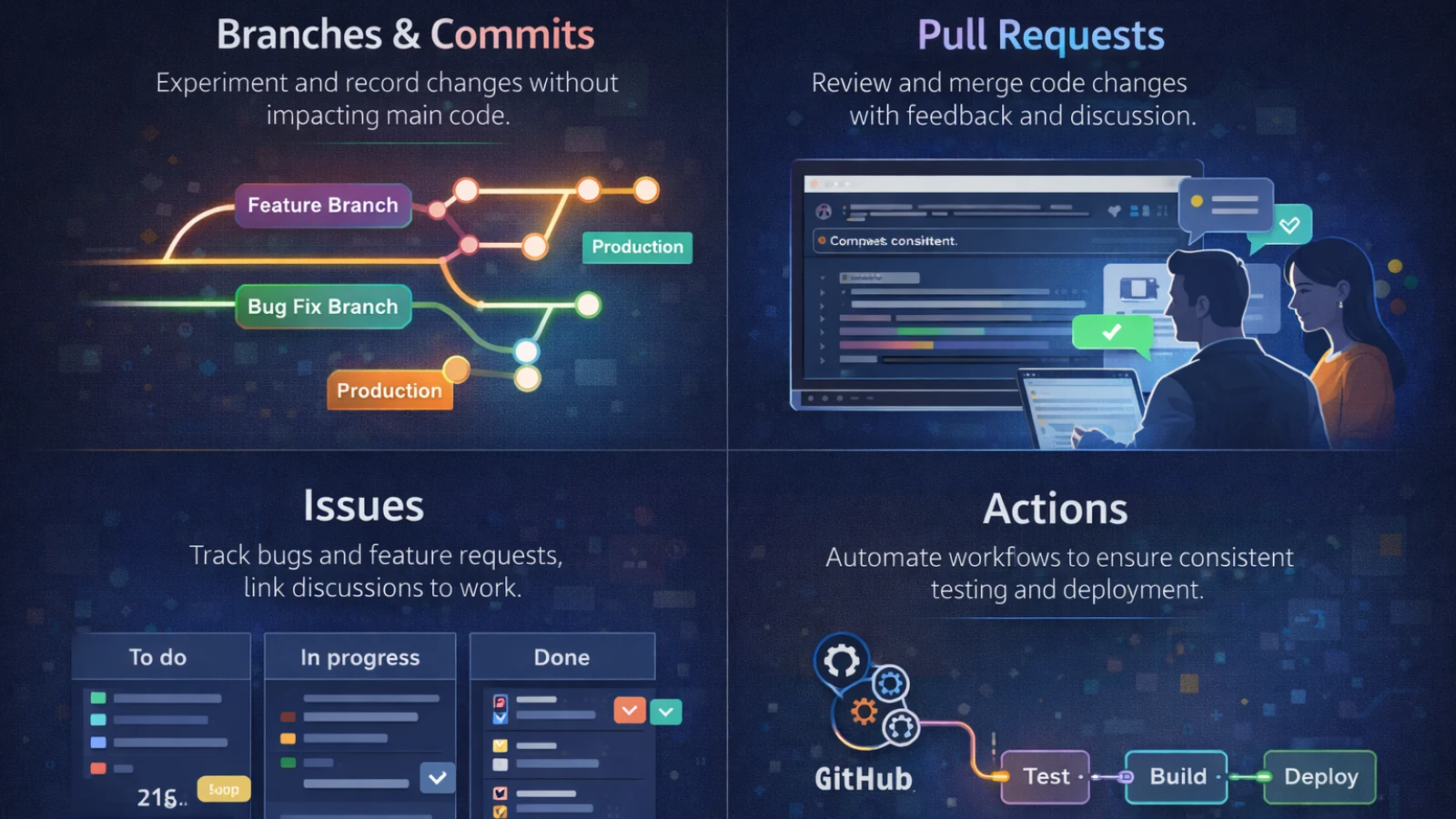
The strength of GitHub comes from a small set of features that mirror how real software is built and maintained over time. Understanding how these features connect helps developers move from basic usage to structured workflows.
Repositories act as the project’s single source of truth. Beyond storing code, they hold documentation, configuration files, release notes, and discussions. A well organised repository makes onboarding easier and reduces dependency on individual knowledge.
Branches and commits allow safe experimentation. A developer might create a feature branch to build a new login flow or a bug fix branch to resolve a production issue. Each commit records a meaningful step, creating a clear history that explains what changed and why.
Pull requests are actually a GitHub feature built on top of Git branching and merging. Instead of merging work directly, developers open pull requests with descriptions, screenshots, and context. Teammates review the code, suggest improvements, and ensure standards are met before merging. Smaller pull requests are easier to review and reduce the risk of merge conflicts or bugs.
Issues connect planning with execution. Teams log bugs, propose features, assign ownership, and link work directly to pull requests. This creates visibility and keeps conversations attached to the codebase.
Automation with Actions removes repetitive effort. For example, tests can run automatically when a pull request is opened, preventing broken code from reaching the main branch. Keeping automation inside the repository ensures quality checks happen consistently without manual intervention.
Together, these features create a development environment where work remains traceable, collaboration stays structured, and projects scale without losing clarity.
Also Read
OpenClaw Skills: How to Build Custom AI Capabilities in 10 Minutes
Github openclaw: Everything You Need to Know About the OpenCLAW AI Project
How Teams Build and Ship Code Using GitHub
A typical workflow follows a predictable pattern across teams.
It usually starts with an idea. A repository is created, and then developers clone it locally to work offline.
Changes happen locally first. Features are built, bugs are fixed, and improvements are tested. Developers create commits to capture those changes and push them back to GitHub.
Instead of editing the main codebase directly, teams open pull requests. This signals that work is ready for review. Teammates examine the code, suggest improvements, and confirm it meets standards.
After approval, changes are merged and become part of the product. Releases then package stable versions with tags and notes that help teams track progress.
This workflow connects beginner experimentation with a professional engineering discipline.
Getting Started: Using and Downloading Code
Getting started becomes easier once the sequence is clear.
The first step is creating an account and setting up a profile, which becomes part of a developer’s public identity. Next comes creating the first repository, either empty or with existing code.
Code can be uploaded through the browser or through Git locally. Many developers prefer cloning because it provides a full project copy, including history.
Basic Git actions follow. Make changes, stage them, commit, and push. This loop forms the foundation of daily development.
Downloading code is equally common. Sometimes, only the files are needed, so downloading a ZIP is sufficient. Cloning is better when ongoing work or contributions are planned.
Releases offer another path. Maintainers publish stable versions that users can install directly.
Understanding the difference between cloning and downloading removes a common beginner’s confusion.
Collaboration, Mistakes, and Career Growth
As projects grow, GitHub becomes more about coordination than individual productivity.
Collaboration happens through pull requests, discussions, and shared planning. Code review improves quality and spreads knowledge. Branch strategies allow teams to work in parallel without conflicts.
Issues help break work into tasks, assign ownership, and track progress. Permissions ensure sensitive areas remain controlled while contributors participate.
Common mistakes appear frequently. Direct commits to the main branch reduce safety. Large commits slow reviews. Ignoring feedback limits learning. Poor repository structure creates confusion later.
Learning these patterns is part of professional development.
From a career perspective, GitHub acts as a visible signal of capability. Recruiters often look at contribution activity. Well documented repositories show communication skills. Open source contributions demonstrate initiative and collaboration.
GitHub gradually becomes a living resume.
Where Development Teams Are Heading With GitHub
GitHub is expanding beyond version control into a broader development platform. Automation, security scanning, environment management, and deployment workflows now sit close to the codebase.
As teams scale, structure becomes more important than tools alone. Repository design, branching models, review policies, and automated pipelines determine whether development remains predictable.
Many organizations need guidance in setting these systems up. The challenge is not adopting GitHub but using it consistently.
Engineering support partners help teams design workflows, organize repositories, and improve collaboration between development and delivery. The focus shifts from tools to process alignment.
Teams that treat GitHub as infrastructure rather than storage gain long-term advantages.
Supporting Teams in the Age of AI Development
As software development evolves, teams are no longer building only traditional applications. Many modern products now incorporate artificial intelligence, automation, and data-driven decision systems.
Teams must manage machine learning models, data pipelines, experiment tracking, and deployment workflows alongside their core application code.
This is where experienced technology partners can make a meaningful difference. Companies such as Globussoft support organizations in designing and developing AI-driven products that move beyond simple automation. Their services include AI application development, machine learning model integration, intelligent workflow automation, and scalable cloud-based AI infrastructure.
Rather than focusing only on code delivery, the emphasis shifts toward building systems that are intelligent, scalable, and maintainable over time. Globussoft works with product teams to integrate AI capabilities into existing platforms, develop custom AI agents, and create data-driven tools that improve decision-making and operational efficiency.
For growing companies, this kind of technical guidance ensures that AI adoption remains practical and structured. Development teams can focus on innovation while relying on experienced partners to help design architectures, manage data workflows, and implement AI systems that scale with the product rather than complicate it.
Conclusion
GitHub is no longer optional for developers. It sits at the center of how software is built, reviewed, and released.
The learning curve can feel technical, but the long-term value is clear. Understanding repositories, pull requests, and workflows improves both productivity and collaboration.
The best way to learn remains hands-on practice. Create repositories, contribute to projects, and experiment with real workflows. Over time, GitHub moves from being a tool you use to a system that shapes how you build software.
FAQ
What is GitHub?
GitHub is a cloud platform that hosts code repositories and helps developers track changes, collaborate, review work, and manage software projects using the Git version control system.
How do you use GitHub?
Developers use GitHub by creating repositories, uploading or cloning code, making changes through commits, and collaborating using branches, pull requests, and issues. It becomes the central place where development activity is organised.
What is GitHub used for?
GitHub is used for storing code, managing version history, collaborating with teams, contributing to open source projects, automating workflows, and showcasing development work as a portfolio.
How do you download code from GitHub?
You can download code by either downloading a ZIP file directly from a repository or cloning the repository using Git. Cloning is preferred when you plan to continue working on the project because it includes the full history.