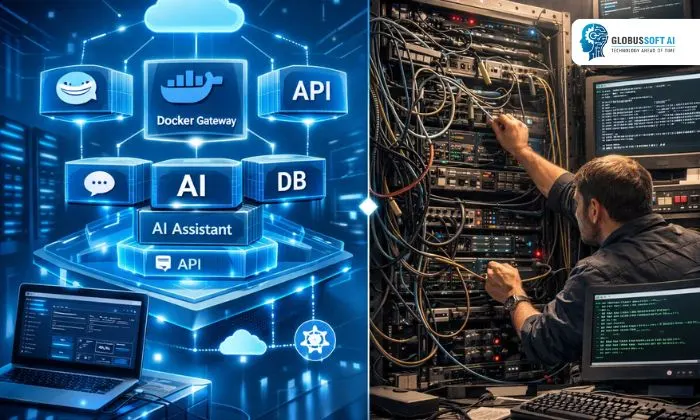
If you’ve been exploring AI assistant deployment, chances are you’ve already come across OpenClaw Docker. It’s one of the most talked-about approaches to running a self-hosted AI gateway, and for good reason. It takes the complexity out of setting up an AI-powered communication layer across multiple platforms.
Instead of dealing with fragile, manual server configurations, you get a containerized environment that is predictable, portable, and easy to manage. Whether you’re a solo developer or part of a growing team, understanding how it differs from traditional setups can save you a significant amount of time, effort, and frustration. In this blog, we break it all down for you.
Listen To The Podcast Now!
What Is OpenClaw Docker?
Before comparing setups, let’s quickly cover the basics. OpenClaw Docker refers to deploying OpenClaw, an open-source, self-hosted AI assistant gateway, inside Docker containers. OpenClaw itself is designed to bridge messaging platforms like WhatsApp, Telegram, Slack, and Discord with powerful AI models such as Claude, GPT-4, Llama, and Gemini.
When you run it, you’re packaging all its dependencies, configurations, and runtime environment into isolated containers. This means the same setup works on any machine, Linux, macOS, or Windows, without worrying about conflicting system packages or environment differences. It’s especially popular because it keeps your data local and your infrastructure fully under your control.
Traditional Setups: How Things Used to Work?
Traditional setups involve manually installing software and its dependencies directly onto a host machine. In the context of running AI assistants or gateways, this means installing Python runtimes, configuring environment variables, managing system-level dependencies, and handling version conflicts, all by hand.
While this approach gives developers a degree of visibility into the system, it introduces several pain points. Reproducing the environment on another machine is difficult, debugging system-level conflicts can take hours, and scaling becomes a manual headache. For teams that need reliability and repeatability, traditional setups fall short. OpenClaw Docker was built specifically to address these problems head-on.
Key Differences: Containerized vs Traditional:
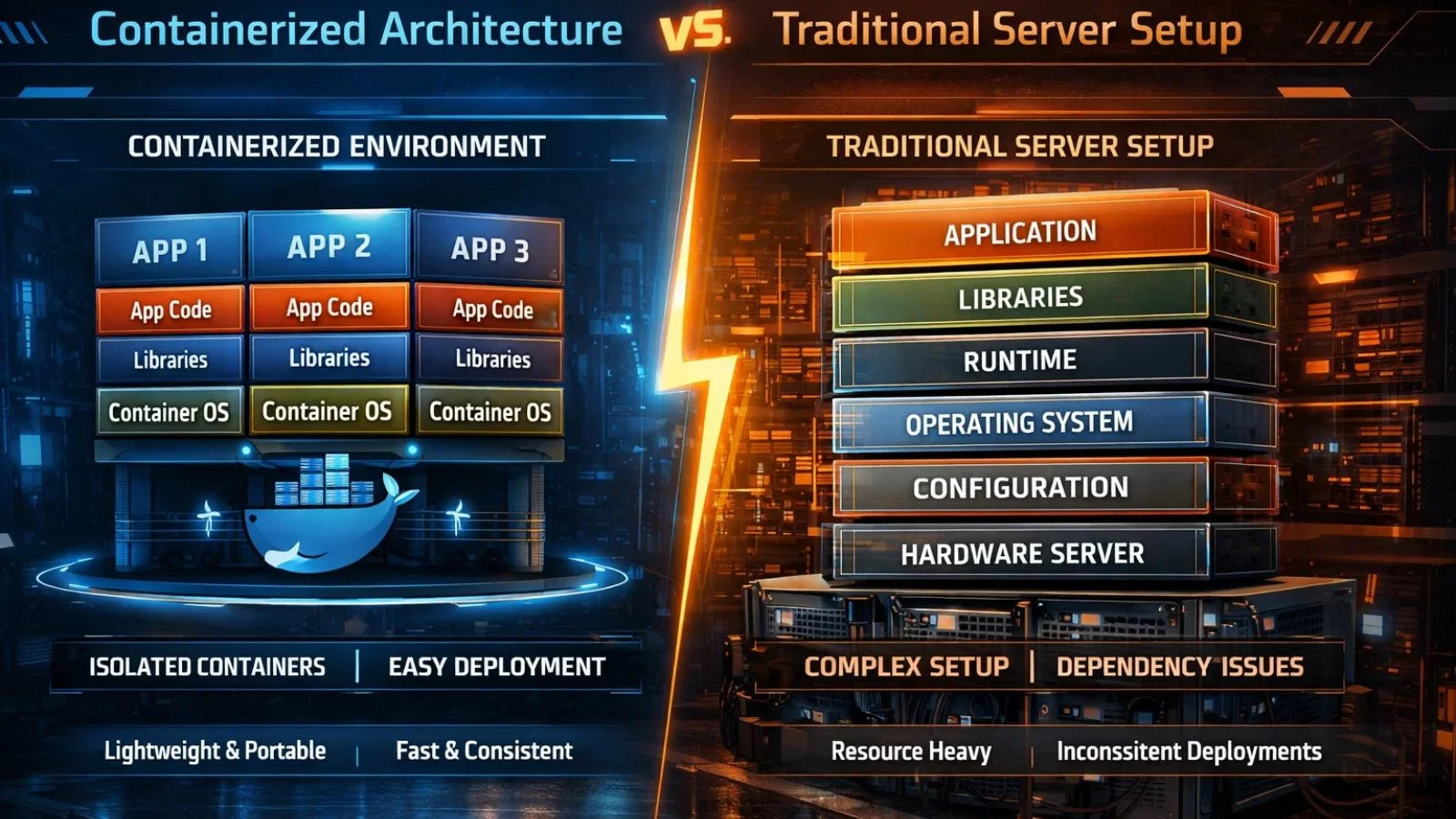
When you compare OpenClaw Docker against a traditional setup side by side, the advantages of containerization become immediately clear. Here are the most important distinctions:
- Portability: The containerized approach packages everything into a single image. You can move it from your local development machine to a cloud VPS in minutes. Traditional setups are machine-specific; moving them requires re-installing and re-configuring everything from scratch.
- Consistency: The environment stays identical regardless of where it runs. Traditional setups are vulnerable to the classic “works on my machine” problem; subtle differences in OS versions or library versions can break things unexpectedly.
- Isolation Containers run in isolation and won’t interfere with other software on your system. In a traditional setup, system updates or new package installations can accidentally compromise your entire AI gateway.
- Scalability Scaling a containerized deployment is straightforward; you spin up additional containers as demand grows. With traditional setups, scaling means repeated manual work across every new server you provision.
How to Install OpenClaw on Docker?
One of the biggest wins of this approach is how clean and straightforward the setup process is. When you decide on the OpenCLAW Docker install, the steps are well-defined and don’t require deep system administration knowledge.
You start by installing Docker on your machine, pull the OpenClaw Docker image from the repository, configure your environment variables, API keys, model preferences, and channel tokens, and spin up the container with a single command. Compared to a traditional install, where you’d be chasing dependency errors and Python version mismatches, this path is significantly faster and cleaner. Most users complete the initial setup within an hour, even without prior containerization experience.
Using OpenClaw Docker Compose for Multi-Service Deployments:
For more advanced deployments, OpenClaw Docker Compose is the go-to solution. Docker Compose allows you to define and run multi-container applications using a single YAML configuration file. If your setup requires a database, a vector memory store like LanceDB, and the core gateway all running together, Docker Compose orchestrates all those services simultaneously.
You define each service, its configuration, and how they communicate, then bring everything online with one command. This is a stark contrast to traditional setups, where managing multiple services means writing custom startup scripts and manually ensuring each one starts in the correct order. It makes complex deployments genuinely manageable.
How to Update OpenClaw Docker Without the Headaches?
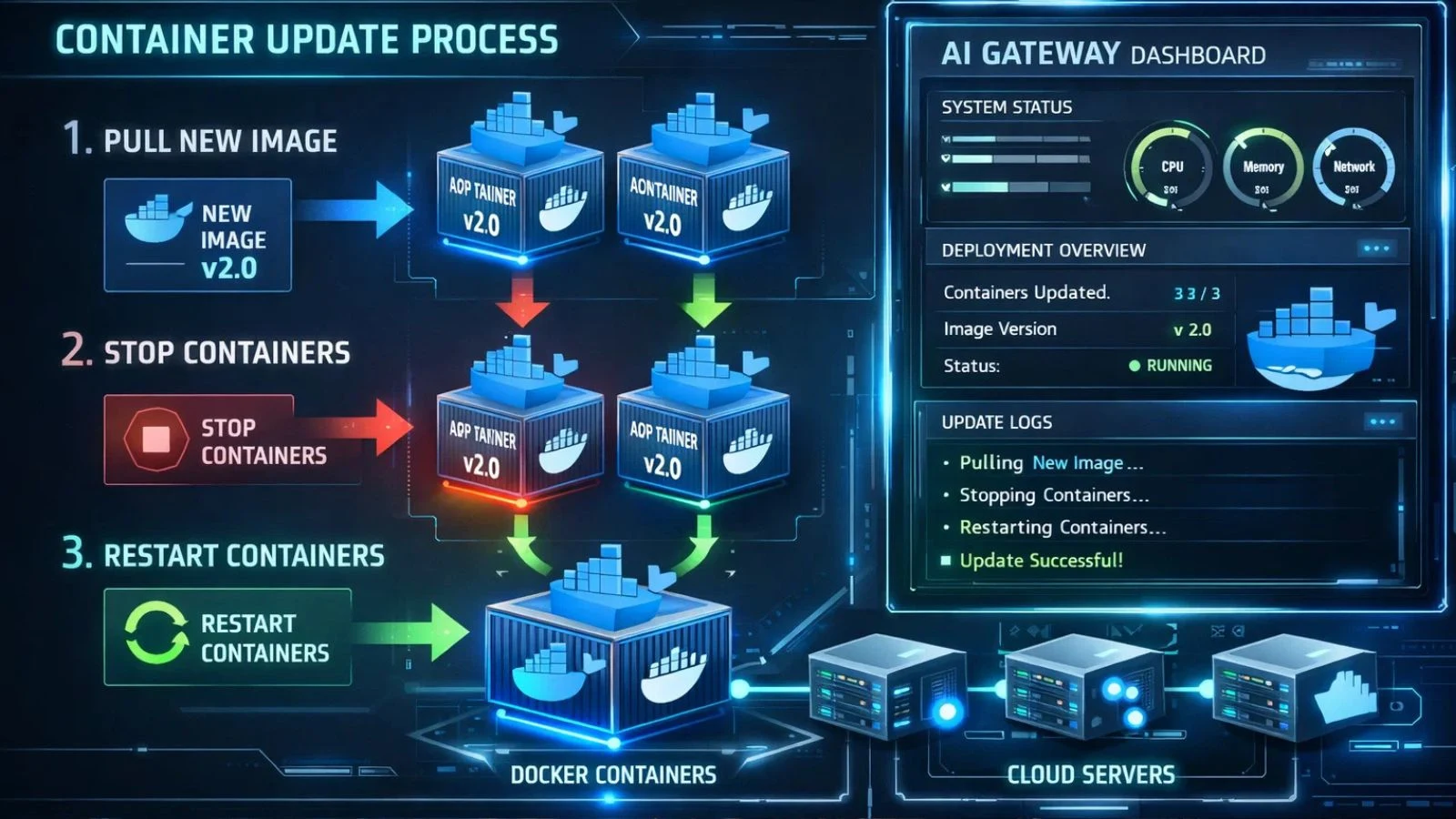
Keeping your AI gateway up to date is critical for security and performance. Knowing how to update OpenClaw Docker is genuinely simpler than updating a traditionally installed application. In a containerized environment, updates involve pulling the latest image, stopping the existing container, and starting a new one; your configuration and data volumes remain completely untouched.
By contrast, updating a traditionally installed application can mean navigating version conflicts, broken dependencies, and risky system-wide changes. Rolling back a bad update is equally simple here; you just revert to the previous image version, something traditional setups make very difficult and risky.
Security and Privacy Advantages:
Privacy is one of the core selling points of running your AI gateway in containers. Because OpenClaw Docker runs on your own infrastructure, your messages and conversations never leave your servers. Docker’s built-in sandboxing adds an extra protection layer; the container is isolated from the rest of your system by design.
Traditional setups, running directly on the host, have a larger attack surface. Any misconfiguration can expose your system to risk. This containerized approach also makes it easier to implement security best practices like SSRF guards, access control lists, and encrypted connections, all within a clean, reproducible environment that you fully own and control.
Also Read:
Powerful Secret: Can OpenClaw App Transform Your Business?
Openclaw Vs Cloud Ai: Privacy, Control, And Capabilities Compared
Deploy OpenClaw Docker the Right Way with Globussoft AI:

If you want a professional, hassle-free deployment, GlobussoftAI is your ideal partner. As a CMMI Level 3 and ISO 9001-2015 certified AI services company with over 16 years of experience and 1,000+ global clients, GlobussoftAI specializes in end-to-end OpenClaw Docker setup and custom AI agent development. Here’s what they bring to your deployment:
- Full gateway installation on Mac, Windows, or Linux
- Multi-channel setup covering WhatsApp, Telegram, Slack, Discord, and 15+ more platforms
- AI model configuration, including Claude, GPT-4, Llama, Gemini, and local Ollama models
- Cloud and VPS deployment with Tailscale integration for secure remote access
- Voice and browser automation using ElevenLabs TTS and Playwright
- 24/7 managed support, monitoring, and performance optimization
- Packages starting from $499 with an average 24-hour deployment time
Whether you’re a startup or an enterprise, GlobussoftAI builds the AI-powered digital workforce your business needs, fast and without the technical overwhelm.
Conclusion:
The choice between OpenClaw Docker and a traditional setup comes down to how much you value reliability, speed, and maintainability. It wins on almost every front, from installation and updates to security and scalability. Traditional setups may feel familiar, but they carry hidden costs in time, troubleshooting, and fragility. If you’re serious about running a self-hosted AI gateway that works in production without constant babysitting, this is clearly the smarter path forward.
FAQ’s:
Q1. Is OpenClaw Docker suitable for beginners?
Ans: Yes. It simplifies the entire setup process considerably. Even if you’re new to containers, the well-structured documentation and active community support make it very manageable. If you’d prefer a fully handled deployment, services like GlobussoftAI can take care of the entire process for you.
Q2. Do I need a powerful server to run it?
Ans: Not necessarily. OpenClaw Docker runs efficiently on modest hardware. For local or personal usage, a standard laptop or desktop works perfectly fine. For production deployments handling higher message volumes, a VPS or cloud instance is the recommended approach.
Q3. Can I switch AI models without reinstalling everything?
Ans: Yes, and this is one of the biggest practical advantages. Swapping AI models is simply a configuration change; you update your environment variables and restart the container. You don’t need to rebuild or reinstall the environment at all.
Q4. How is it different from running OpenClaw natively?
Ans: Running OpenClaw natively means installing it directly on your host machine, which makes it susceptible to OS-level conflicts and dependency issues. The containerized approach wraps the entire application in isolation, making it portable, consistent, and far easier to manage, update, and replicate across different machines.
Q5. What happens to my data and configurations when I update?
Ans: Your data and configuration files are stored in Docker volumes, which exist independently of the container itself. When you update by pulling a new image and restarting, your volumes and everything stored in them remain fully intact and untouched.