I never expected a lobster-themed AI agent to challenge one of the most well-known tools in tech, but here we are. After 90 days of daily use, I can confidently say that Openclaw is not just another AI tool. It is a genuine shift in how people interact with artificial intelligence.
While most AI assistants simply respond to your questions, this autonomous agent actually does things, managing emails, scheduling tasks, and automating workflows without you lifting a finger.
This comparison is not about which tool sounds smarter. It is about which one makes your life easier. Whether you are a developer, a freelancer, or just someone who wants a capable AI by their side, this breakdown will help you decide where to invest your time and energy.
Listen To The Podcast Now!
What Is Openclaw?
OpenClaw (formerly known as Clawdbot and Moltbot) is a free, open-source autonomous AI agent created by Austrian developer Peter Steinberger. Unlike traditional AI chatbots, it runs locally on your own device and connects directly to the messaging apps you already use, WhatsApp, Telegram, Discord, Slack, Signal, and even iMessage.
What makes this tool stand out is its agentic design. It does not wait to be asked; it takes action. From clearing your inbox to managing your calendar, filing documents, and running scripts, this AI assistant operates like a 24/7 personal helper.
It supports over 100 community-built AgentSkills, integrates with 50+ third-party services, and is fully model-agnostic, meaning you can power it with Claude, GPT, DeepSeek, or even a local model via Ollama. Your data stays on your machine. Privacy is built in, not bolted on.
What Is ChatGPT?
ChatGPT is OpenAI’s flagship conversational AI, accessible via the ChatGPT online web interface or through the ChatGPT app on mobile. Millions of users rely on it daily to write content, summarize documents, answer questions, and brainstorm ideas.
If you are wondering how to use ChatGPT, the answer is simple: you log in, type a message, and get a response. It is one of the most user-friendly AI tools ever built.
One of the most common questions people ask is, “Is ChatGPT free?” The short answer is yes, there is a free tier with limited access. However, the most capable models sit behind a paid subscription.
ChatGPT lives in the cloud, meaning your data is processed on OpenAI’s servers. It is a reactive tool, smart and capable, but it responds to prompts rather than proactively managing your life.
Openclaw vs ChatGPT: The Core Differences:

Here is where things get interesting. Both tools use powerful large language models under the hood, but their philosophies are fundamentally different.
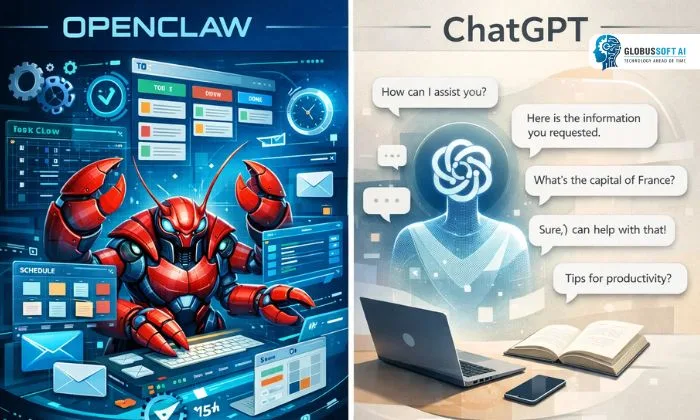
Openclaw is an agentic AI; you instruct it once, and it handles the rest autonomously. ChatGPT is a conversational AI; you ask, and it answers. OpenClaw lives in your existing chat apps and runs continuously in the background, while ChatGPT lives in a browser or dedicated app. This tool keeps your data local by default, whereas ChatGPT processes everything on external servers.
For simple one-off tasks, writing an email, summarizing a PDF, or generating ideas, ChatGPT is fast and frictionless. But for recurring workflows, automation, and actual task execution, the gap between these two tools becomes impossible to ignore.
90 Days of Real-World Testing:
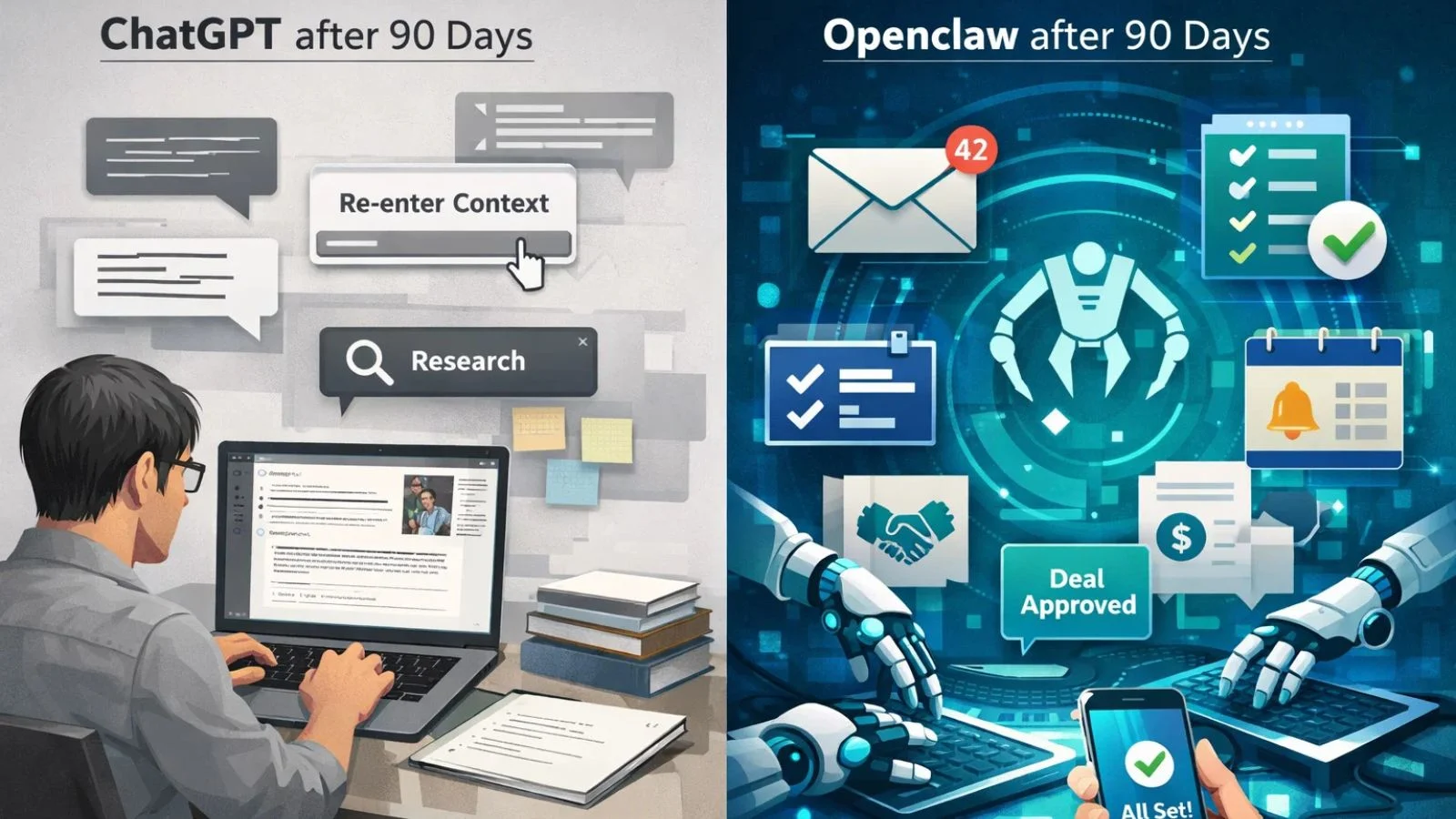
Over three months, I threw everything at both tools. In the first few weeks, ChatGPT handled most of my writing and research tasks effortlessly. It was convenient, quick, and polished. But I noticed a pattern; I kept having to repeat myself, re-paste context, and manually act on every suggestion.
Then I set up Openclaw. Within the first week, it had automated my morning email triage, set up recurring task reminders via Telegram, and even negotiated a vendor quote, while I was asleep. The learning curve was steeper, especially during the CLI setup, but once configured, the agent ran with almost no input from me. It adapted to my preferences, remembered context across sessions, and proactively flagged things that needed my attention. By day 60, I was using ChatGPT far less for operational tasks.
Where Openclaw Wins:
Openclaw truly excels at autonomous, real-world execution. Here are the areas where it outperformed ChatGPT by a wide margin during testing:
It handled multi-step workflows that previously required multiple apps and manual handoffs. It ran background tasks on a schedule without requiring any prompting. It integrated seamlessly with the messaging apps I was already using, with no new interface to learn.
It maintained persistent memory, so every interaction built on the last. And because OpenClaw is open-source and self-hosted, there was no monthly subscription eating into my budget. For developers, power users, and anyone managing a busy workflow, this tool is genuinely transformative. It does not just respond; it acts, evolves, and improves the more you use it.
Where ChatGPT Holds Its Ground:
To be fair, ChatGPT is not going anywhere. For users who want a polished, no-setup AI experience, it remains exceptional. Creative writing, long-form content drafting, research synthesis, coding help, and brainstorming sessions are areas where ChatGPT’s smooth interface and deep training shine consistently.
Openclaw, on the other hand, requires Node.js, a terminal setup, and some comfort with configuration files. It is not beginner-friendly out of the box. If you are not comfortable with CLI tools or do not have a specific workflow to automate, ChatGPT’s simplicity wins every time. The bottom line is this: ChatGPT is better for conversational AI tasks, while this agent is built for people who want AI that works autonomously in their daily life.
Also Read:
How To Use Openclaw: From Zero To Ai Automation In 30 Minutes
OpenClaw Consulting: Professional Installation and Optimization
GlobussoftAI: The Enterprise Partner for Smarter AI Adoption:

If the capabilities of Openclaw excite you, but you need expert support to build, deploy, or scale AI solutions for your business, GlobussoftAI is worth your attention. They are a certified Generative AI and ML services company helping modern enterprises harness the full power of AI, not just as a chatbot but as a long-term strategic business engine.
Key features and services offered by GlobussoftAI:
- AI Agent Development, Design, and deploy intelligent agents that automate customer support and internal operations
- LLM-Powered Chatbots, Context-aware, human-like bots built with a robust custom knowledge base
- LLM Fine-Tuning, Align AI models to your specific industry needs with reduced bias and higher accuracy
- AI/ML Integration: Combine generative AI with machine learning for adaptive, continuously improving systems
- AI/ML Consulting, Clear, actionable strategies for real business impact, not just hype
- Industry-Specific Customization, Solutions tailored for healthcare, finance, retail, logistics, and more
- 20% Faster Deployment, Agile delivery with minimal disruption to your existing workflows
Visit globussoft.ai to consult with their GenAI specialists today.
Conclusion:
After 90 days, the verdict is clear. ChatGPT is an outstanding tool for conversations, content creation, and everyday quick tasks, and it is hard to beat for sheer ease of use. But when it comes to autonomous execution, persistent memory, and privacy-first design, Openclaw is in a league of its own. It does not just respond to you; it works for you, around the clock. If you are ready to move beyond chatbots and step into genuine AI automation, this is the tool that truly delivers.
FAQ’s:
Q1: Is Openclaw free to use?
Ans: Yes, Openclaw is completely free and open-source under the MIT license. You only pay for the AI model API you connect it to, which typically runs between $10–$70 per month, depending on your usage.
Q2: Do I need coding skills to set it up?
Ans: Basic comfort with the command line is helpful since setup uses a CLI-based wizard. The onboarding process is well-documented and guides you step by step, making it manageable even for non-developers willing to put in a little effort.
Q3: Can it work alongside ChatGPT?
Ans: Absolutely. The tool is fully model-agnostic, meaning you can configure it to use OpenAI’s GPT models as the backend. Many users run both ChatGPT for quick queries and this agent for automated, background workflows.
Q4: Which platforms and messaging apps does it support?
Ans: It runs on macOS, Linux, and Windows (via WSL2) and connects to platforms including WhatsApp, Telegram, Discord, Slack, Signal, and iMessage, all through a single local gateway on your device.
Q5: Is it safe to use?
Ans: It is secure when configured carefully, but users must understand the broad permissions the tool requires. Since it accesses emails, calendars, and messaging apps, those who are not technically comfortable should follow the official security documentation closely before use.