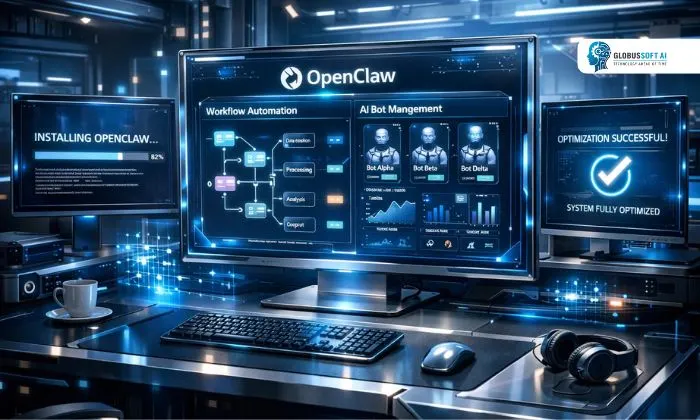
If you’ve been researching OpenClaw and wondering whether a $2,500 professional setup is actually worth it, you’re not alone. It has quickly become one of the most talked-about platforms for businesses looking to automate intelligent workflows using AI-driven bot technology.
A professional OpenClaw setup isn’t just about installing software; it’s about building a system that’s configured, tested, and optimized to perform at its best from day one. In this guide, we’ll walk you through exactly what that budget covers, what you should expect, and how to make every dollar count.
Listen To The Podacast Now!
What Is It and Why Does the Setup Matter?
OpenClaw is an advanced AI-powered bot automation platform designed to help businesses streamline repetitive workflows, manage intelligent interactions, and scale operations efficiently. It connects with your existing tools, processes data intelligently, and executes tasks around the clock without manual intervention.
When it comes to this platform, the setup phase is everything. A poorly configured system leads to missed automations, performance bottlenecks, and wasted investment. That’s why investing in a professional setup from the start pays off far more than trying to patch things together later.
The right configuration ensures the platform runs as intended, reliably, fast, and fully aligned with your business processes. Whether you’re running it for customer support, internal task management, or data processing, the foundation you build matters enormously in the long run.
Breaking Down the $2,500 Budget:
So what exactly does $2,500 get you with a professional OpenClaw setup? Here’s a realistic breakdown of where the money goes. A significant portion, typically around $800 to $1,000, goes toward initial licensing and platform access. The professional tier unlocks advanced automation features, higher processing limits, and priority support.
This alone justifies much of the investment for businesses planning to scale efficiently. Another $600 to $700 covers environment preparation, server provisioning, cloud configuration, and infrastructure compatibility checks. Skipping this step is where most DIY setups go wrong. The remaining budget covers expert configuration, integration work, and initial testing. Getting the platform properly connected to your existing tools, CRMs, databases, and communication platforms requires skilled hands.
This integration layer transforms the system from a standalone tool into a true workflow engine. It’s also worth budgeting a small portion for post-launch review, where an expert checks that everything is performing as expected in a real production environment before you hand it off to your team fully.
Step-by-Step OpenClaw Setup Guide: What Professionals Do Differently:
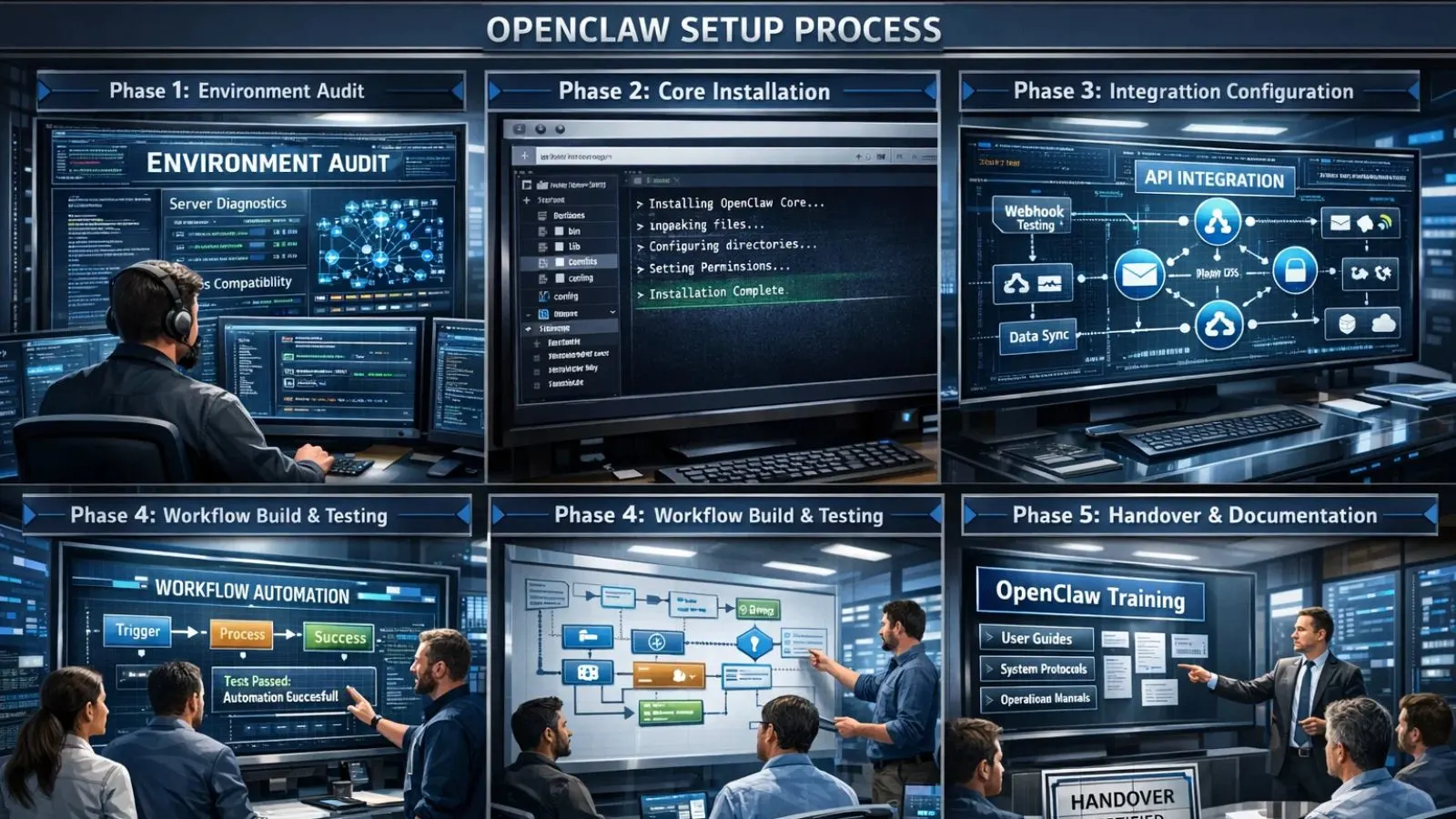
Following a proper OpenClaw setup guide is what separates a stable deployment from a troublesome one. Professionals approach OpenCLAW installation with a structured, phase-based process that minimizes risk and maximizes performance.
Phase 1, Environment Audit:
Before anything is installed, experienced teams assess your server environment, OS compatibility, and network configuration to ensure everything is ready.
Phase 2 Core Installation:
The OpenCLaw installation itself is handled with precision, correct directory structures, permission settings, and environment variables configured from the start. No shortcuts, no guesswork.
Phase 3, Integration Configuration:
APIs are mapped, webhooks are tested, and data flows are verified end-to-end across all connected tools.
Phase 4, Workflow Build & Testing:
Automation rules and workflows are built based on your use cases, then stress-tested before going live.
Phase 5 Handover & Documentation:
A professional setup always ends with clear documentation and team training for confident day-to-day management.
Common Mistakes That Kill Performance:
Even with the right budget, a poor configuration can quietly drain your ROI. Understanding these pitfalls helps protect your investment. The most common issue is underestimating server requirements. The platform performs best on dedicated resources with sufficient RAM and processing power. Hosting it on a shared or underpowered server leads to lag, timeouts, and inconsistent automation behavior.
Another frequent mistake is skipping integration testing. Connecting to third-party tools without thorough validation often results in broken data pipelines discovered only during live operations, the worst possible time.
Finally, many users ignore logging and monitoring settings during setup. Enabling proper logs from day one gives you visibility into system behavior and helps you catch issues early before they become costly problems. It also makes future troubleshooting significantly faster; instead of guessing what went wrong, you have a clear record to work from. This small step during setup saves hours of frustration down the line.
Also Read:
What Is OpenClaw Gemini? Everything You Need To Know
How To Install OpenClaw in 10 minutes: Complete Installation Guide
How GlobussoftAI Can Supercharge Your Automation Experience?

If you want expert-level support without the guesswork, GlobussoftAI is a strong partner to consider. They are a certified AI and ML services company that helps modern businesses deploy intelligent automation solutions, including dedicated OpenClaw expert services, with precision and speed.
Here’s what GlobussoftAI brings to the table:
- AI Agent Development: Custom intelligent agents designed to fit your exact workflow needs
- LLM-Powered Chatbot Integration: Connect your system with context-aware, human-like conversational AI
- End-to-End AI/ML Implementation: From strategy and data prep to deployment and monitoring
- Industry-Specific Customization: Solutions tailored for healthcare, e-commerce, logistics, and more
- 20% Faster Deployment: Agile delivery methodology that minimizes disruption and downtime
- Continuous Optimization & Support: Ongoing fine-tuning to keep your automation performing at its peak
With a team of certified AI specialists and a proven enterprise delivery record, GlobussoftAI ensures your OpenClaw investment generates real, measurable ROI. Visit globussoft.ai to consult with their experts.
Is a $2,500 Setup Worth It for Small Businesses?

This is a fair question. OpenClaw isn’t exclusively for enterprises; small and mid-sized businesses are adopting it rapidly, too. The $2,500 price point, when spread across the value it delivers, often pays for itself within the first two to three months of deployment. Think about the hours your team spends on repetitive tasks, responding to routine queries, updating records, and routing requests. The right automation handles all of that seamlessly.
For a small business, saving even 15 hours per week across the team translates into thousands of dollars in reclaimed productivity monthly. Staff can redirect their energy toward sales, strategy, and customer relationships instead of manual busywork. The setup cost becomes less of an expense and more of a down payment on long-term operational efficiency.
Conclusion:
A professional OpenClaw setup at the $2,500 level is one of the smartest investments a growing business can make in AI-powered automation. When configured correctly, the platform delivers consistent, scalable performance that frees your team to focus on what truly matters.
The key is getting it right the first time, with a structured process, qualified experts, and the right tools in place. Avoid shortcuts, lean on professionals where needed, and treat setup as a strategic priority rather than a one-time task. Do that, and your investment will pay dividends for years to come.
FAQ’s:
Q1: How long does a professional setup typically take?
Ans: Most professional deployments are completed within 5 to 10 business days, depending on the complexity of integrations and workflow requirements.
Q2: Can OpenClaw be self-hosted on my own server?
Ans: Yes, it supports self-hosting. However, professional server configuration is strongly recommended to ensure stability, security, and optimal performance.
Q3: What kind of businesses benefit most from this platform?
Ans: Businesses across healthcare, e-commerce, logistics, real estate, and customer service see the strongest ROI, particularly those with high volumes of repetitive workflows.
Q4: Does GlobussoftAI offer dedicated support for this platform?
Ans: Yes, GlobussoftAI provides dedicated Clawbot and openclaw expert services for businesses of all sizes, from initial setup through ongoing optimization.
Q5: What happens if my setup runs into technical issues post-launch?
Ans: A properly documented professional setup includes monitoring configuration and support handover, so issues are caught early and resolved quickly without disrupting operations.