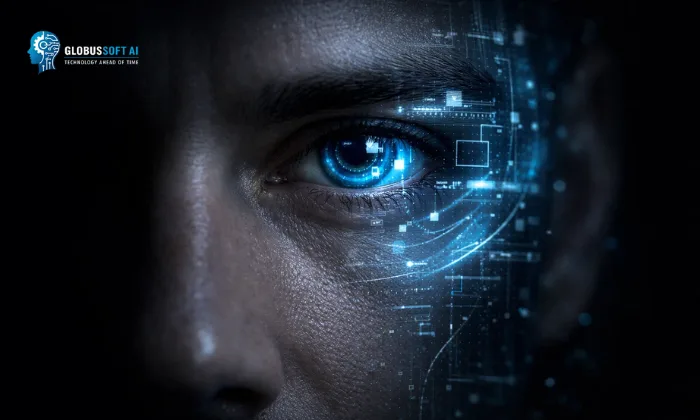
Many everyday business decisions depend on what someone sees. A product is checked for defects, a shelf is scanned for missing items, and a camera feed is reviewed for unusual activity. This is exactly the kind of work computer vision is designed to handle.
That approach works, but it doesn’t scale well. As operations grow and speed increases, mistakes become harder to avoid, and problems are often caught too late.
CV offers a more consistent way to handle this, turning visual data into decisions that can be made quickly and reliably.
This article explains what computer vision is, how it works, and how to think about using it in a real business setting.
What Is Computer Vision?
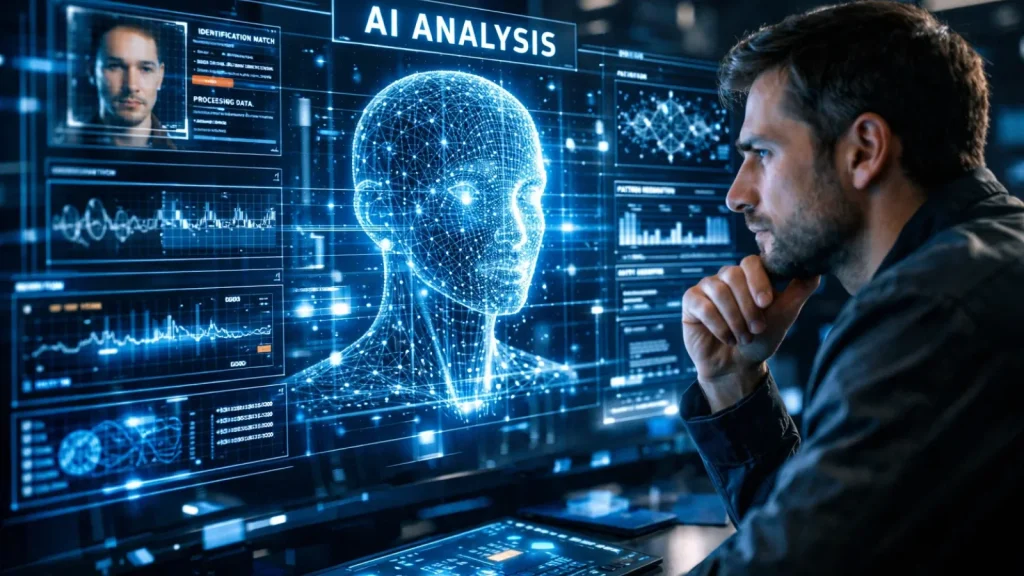
Computer vision is a branch of artificial intelligence that enables machines to interpret and act on visual data, such as images, video, or live camera feeds.
Instead of seeing pixels as raw data, a computer vision system translates them into meaning:
- a defect on a surface
- a person in a restricted area
- a missing item on a shelf
- an abnormal pattern in a medical scan
At its core, machine vision turns visual input into decisions.
It does this using models trained on large sets of labeled images. Over time, the system learns to recognize patterns not by following fixed rules, but by identifying statistical similarities across thousands or millions of examples.
That’s the key difference from traditional software.
You don’t explicitly program what to look for. You train the system to recognize it.
If a human can look at something and make a judgment based on what they see, there’s a strong chance a computer vision system can be trained to do the same faster, at scale, and with consistent accuracy.
How Computer Vision Works
To understand how computer vision works in practice, you first need to look at how machines interpret images at the most basic level.
From Pixels to Understanding
Before getting into the mechanics, it helps to understand what a machine actually “sees.”
To a computer, an image isn’t a scene; it’s a grid of numbers. Each pixel holds a value for color and brightness. On their own, these numbers mean nothing. The job of machine vision is to turn them into meaning: a defect, a person, a pattern.
This happens through a Convolutional Neural Network (CNN), the core engine behind most modern systems.
Instead of analyzing the whole image at once, a CNN scans small regions, first detecting simple features like edges and colors, then combining them into more complex patterns like shapes and objects.
What makes this work is training. The model learns from large sets of labeled images, gradually recognizing the patterns that define each category. Once trained, it can apply that knowledge to new images quickly and consistently.
How a Computer Vision System Processes a New Image
Once a model is trained, every new image it encounters moves through a consistent set of stages. Here’s what that looks like in practice, using a quality inspection camera on a production line as the example:
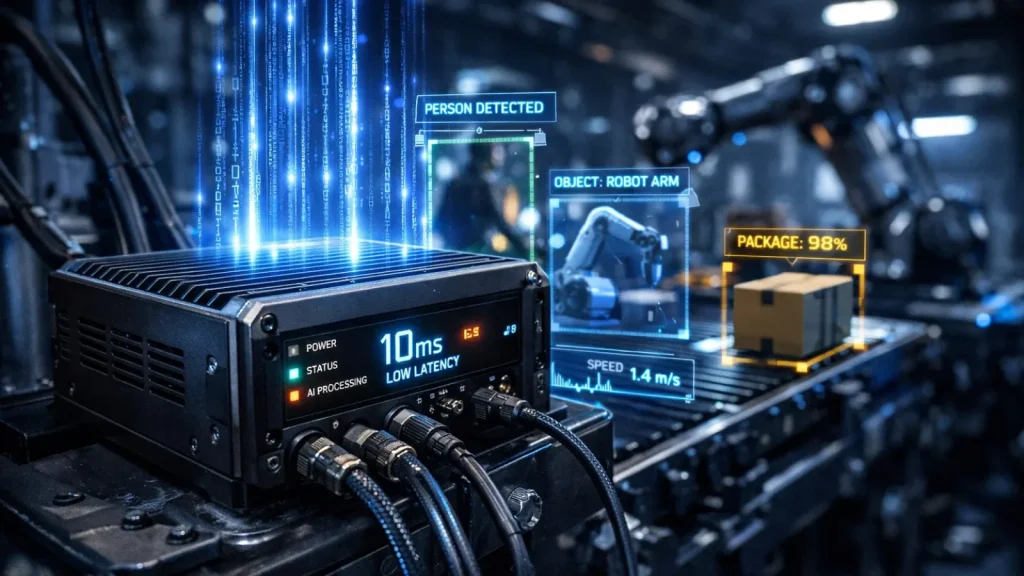
Image acquisition: A camera captures the product as it moves along the conveyor. This is the raw input; nothing has been analyzed yet.
Preprocessing: Before the model sees the image, it gets cleaned up. It’s resized to a standard resolution, brightness is normalized, and noise that could distort the analysis is reduced. Think of this as preparing the image for a clean read.
Feature extraction: The CNN begins its work, scanning the image layer by layer, detecting a surface texture that looks slightly off, an edge sharper than it should be, or a discoloration in a specific region. These detected features are the raw material for the final judgment.
Model inference: Based on those extracted features, the model produces an output: defect detected, here’s where it is, here’s the confidence level.
Action that results: triggers something real: a rejection arm removes the item from the line, an alert appears on an operator’s screen, or a log entry is created for quality reporting. The loop is complete.
The entire process takes a fraction of a second. On a busy production line running hundreds of units per minute, that speed is what makes computer vision genuinely valuable rather than just technically impressive.
The Four Core Tasks of Computer Vision
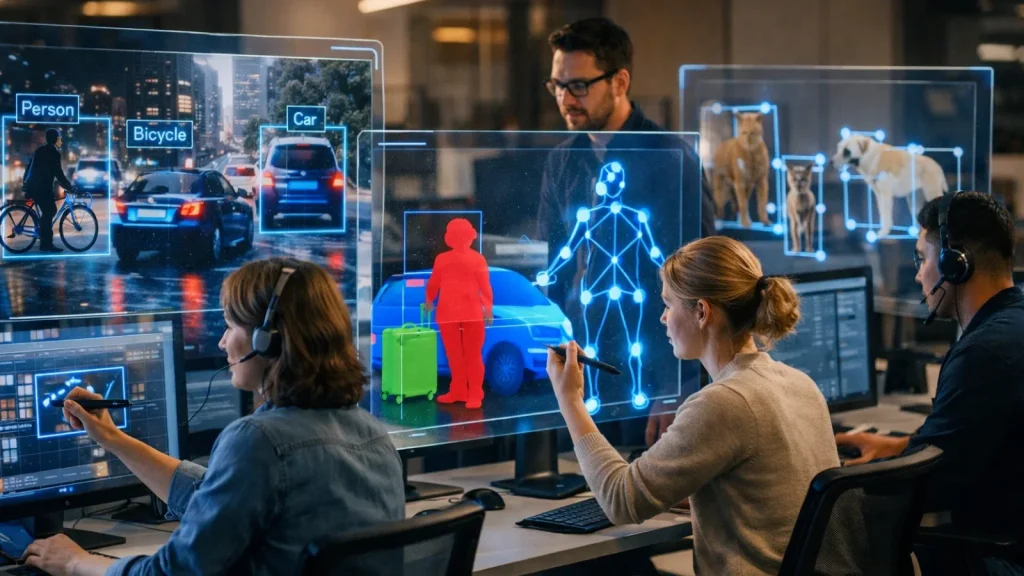
Computer vision isn’t a single capability. It’s a family of related tasks, each designed to solve a different type of visual problem. Understanding the distinction matters when you’re evaluating what kind of solution your use case actually requires.
Image Classification
The most fundamental task: given an image, assign it a label. Is this chest X-ray showing signs of pneumonia, or is it clear? Is this a photo of a ripe tomato or an unripe one? Classification outputs one answer per image. It’s fast, relatively straightforward to implement, and almost always the right place to start with a new application.
Object Detection
Detection goes further. It identifies what is in an image and where, drawing bounding boxes around each object and labeling them individually. A retail loss-prevention system doesn’t just confirm that a person is present; it tracks where they are, what they’re near, and what they’re interacting with in real time.
The key difference from classification: detection handles multiple objects within a single frame simultaneously.
Image Segmentation
Segmentation takes precision to another level, assigning a category to every individual pixel in the frame. The output isn’t a box around an object; it’s a precise outline of its exact shape. Autonomous vehicles depend on this because knowing there’s a pedestrian “somewhere ahead” isn’t sufficient.
The system needs to know exactly where the pedestrian’s edge ends and the road surface begins, down to the pixel.
Facial and Pattern Recognition
This covers identifying specific individuals or recurring visual patterns within an image or video stream. Airport e-gates, building access systems, and photo organization apps all rely on it.
The same underlying principle extends beyond reading a license plate, matching a product barcode, verifying a signature, or identifying a specific component on an assembly line.
Computer Vision Applications Across Industries
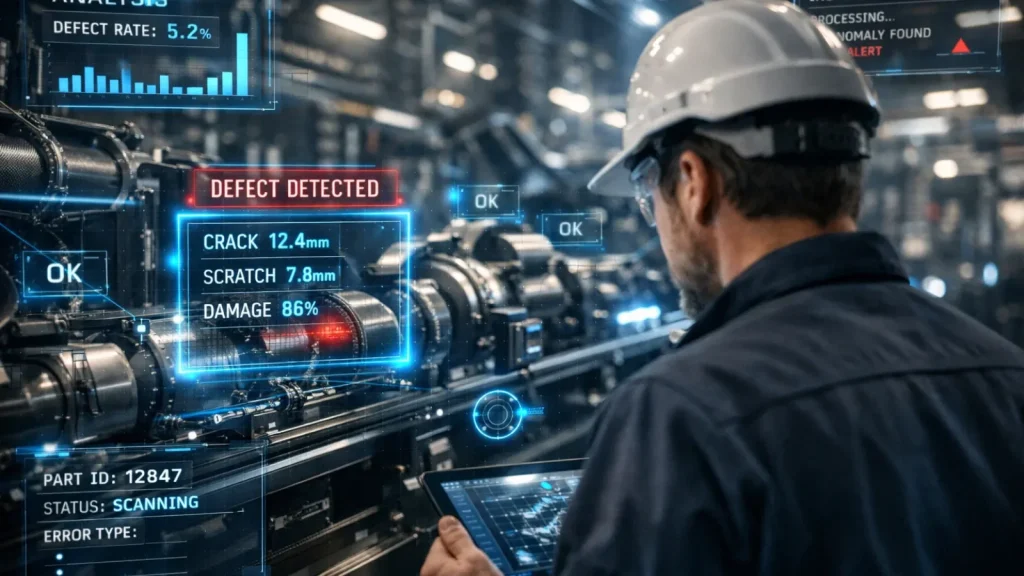
Many day-to-day operations still depend on someone noticing something at the right time. Machine vision changes that.
Healthcare
Machine vision is changing how diagnoses happen. Models trained on large volumes of medical images can detect early-stage diseases, track changes over time, and highlight anomalies that might be missed under heavy workloads.
These systems don’t replace clinicians; they support them. Think of them as a second set of eyes that never gets tired.
Beyond diagnostics, hospitals use machine vision to track surgical tools, monitor patients, and trigger alerts when something looks off, often before it becomes critical.
Manufacturing
Manufacturing is where computer vision delivers immediate ROI.
Automated inspection systems can analyze thousands of units per hour with consistent precision, catching defects, surface issues, and assembly errors before products leave the line.
At the same time, cameras monitor equipment for early signs of wear or failure. Catching issues early prevents costly downtime, often saving thousands or even millions per hour, depending on the operation.
Retail
In retail, machine vision removes friction and improves visibility.
Systems like Sam’s Club’s checkout-free exit verify purchases automatically, eliminating queues and manual checks.
On the operations side, shelf-monitoring systems detect out-of-stock items in near real time. Instead of waiting for manual audits, stores can restock faster, reducing lost sales and improving customer experience.
Agriculture
Machine vision helps farmers act earlier and more precisely.
Drones and ground systems scan crops for signs of disease, pest activity, or water stress, often before these issues are visible to the human eye. This allows targeted intervention, reducing chemical use and improving yield.
The result is both economic and environmental: lower costs and more efficient resource use.
Transportation and Autonomous Systems
While fully autonomous vehicles get the attention, the real impact is already here.
Driver-assistance systems, lane detection, collision warnings, and pedestrian tracking rely on machine vision to prevent accidents in real time.
At the advanced end, companies like Waymo are pushing toward fully autonomous systems, but even today, the same underlying technology is quietly improving safety on everyday roads.
Security and Surveillance
Security is shifting from recording events to preventing them.
Computer vision systems analyze live video feeds continuously, detecting unusual behavior, unauthorized access, or potential risks as they happen.
Instead of reviewing footage after an incident, teams can respond in real time, which is where the real value lies.
How to Get Started with Computer Vision in Your Business
Understanding machine vision is straightforward. Acting on it is where most organizations get stuck.
They identify a potential use case, then run into practical questions: where do we start, what do we need, and how do we avoid wasting time on something that doesn’t work?
This is where combining computer vision with generative AI can simplify the process. While computer vision handles visual understanding, generative AI helps accelerate tasks like data labeling, documentation, prototyping, and even generating synthetic training data.
The framework below the CV Readiness Path is designed to take you from idea to a working pilot without unnecessary detours.
Step 1: Define your visual problem specifically.
Start with a precise question: what exactly do you need a machine to see, classify, or detect? Vague goals produce vague outcomes. “Improve quality control” is an ambition, not a problem definition. “Detect surface scratches on aluminum panels larger than 2mm on a production line running at 40 units per minute” is something you can actually build toward. Specificity at this stage saves weeks later.
Step 2: Assess your existing data honestly.
Do you have labeled images or video of the problem you’re trying to solve? If yes, you have a training foundation to work from.
If not, a data collection and annotation plan needs to come first before any technical decisions are made, before any vendor conversations begin. The quality of your training data will determine the ceiling of your model’s performance more than any other factor.
Step 3: Choose your implementation path.
Not every machine vision project requires building a model from scratch. The right starting point depends on how unique your problem is and how much labeled data you already have.
| Pre-built API (Google Vision, AWS Rekognition) | Common tasks: OCR, face detection, object labeling | Pre-trained models available (minimal setup required) | Days |
| Fine-tuned model | Specific objects or contexts within known categories | 500–5,000 labeled images | Weeks |
| Custom model from scratch | Unique visual problems outside existing model capabilities | 10,000+ labeled images | Months |
Step 4: Pilot before you commit.
One camera. One use case. One segment of a production line. Measure accuracy against a real baseline, document the results, and use that evidence to make a justified case for full deployment. Asking stakeholders to fund a full rollout based on a concept is a harder conversation than presenting three weeks of pilot data showing 94% defect detection accuracy.
Step 5: Track the metrics that actually matter.
Accuracy is the obvious starting point, but it’s rarely the complete picture. Latency: How quickly does the system respond? matters enormously in time-sensitive environments. False-positive rate, how often does it flag something incorrectly? determines whether operators trust the system or start ignoring its alerts. And ultimately, the metric that justifies the investment is the business outcome: defects per hour caught, incidents detected, labor hours reallocated, cost per unit reduced.
How GlobussoftAI Helps You Implement Computer Vision

If you’re exploring machine vision, you’re likely facing a practical challenge manual inspections, missed issues at scale, or difficulty turning a use case into a working solution.
While the concept is easy to understand, implementing it effectively with the right data, model performance, and system integration is where most organizations struggle.
At GlobussoftAI, we help businesses move from idea to execution with tailored AI and computer vision solutions.
Our approach focuses on:
- Identifying the right use case: We analyze your operations to pinpoint where computer vision can deliver the highest impact and fastest ROI.
- Building and validating models: We develop models using relevant data and rigorously test them to ensure accuracy, reliability, and real-world performance.
- Integrating into existing workflows: We seamlessly connect the solution with your current systems, enabling smooth adoption without disrupting operations.
- Continuously improving performance: We monitor results, retrain models with new data, and optimize performance to keep the system effective over time.
Objective: Reduce manual effort, improve accuracy, and create systems that scale with your operations.
If you’re dealing with a visual process that could be automated or improved, we can help you implement the right solution without unnecessary complexity.
Also Read:
From Automation To Innovation: Crafting A Powerful AI Strategy
What Is Generative AI & How To Use It?
Common Misconceptions About Computer Vision
Computer vision is widely discussed, but often misunderstood. Some assumptions are overly optimistic, others unnecessarily limiting, and both can lead to poor decisions.
A few are worth addressing directly.
“Computer vision understands images as humans do.”
It doesn’t. A model recognizes patterns it was trained on, nothing more. Outside that training scope, it can fail, often with high confidence. A system trained on one type of defect may perform poorly on another, even if they look similar to a human. Computer vision is pattern recognition, not human-like understanding.
“You need millions of images to get started.”
That used to be true. Today, pre-trained models and transfer learning have changed the equation. Many applications can work with a few hundred well-labeled examples. Data still matters, but quality and relevance matter more than sheer volume.
“Computer vision is only for large enterprises.”
Not anymore. Cloud platforms from companies like Amazon Web Services, Google Cloud, and Microsoft Azure provide ready-to-use capabilities through simple APIs. Teams can build and deploy solutions without specialized infrastructure or large AI teams.
“Computer vision and machine vision are the same.”
They’re related, but not identical. Machine vision is a specific industrial application focused on inspection, measurement, and automation in manufacturing. Machine vision is the broader field that includes many other use cases.
Wrapping Up
Computer vision is already part of how many industries operate, from detecting defects and monitoring processes to improving safety and decision-making.
The real shift isn’t just in the technology itself, but in how work gets done. Tasks that once depended on constant human observation can now be handled more consistently and at scale.
For most organizations, the opportunity starts with a simple question: where in your workflow does someone have to look at something and decide what they see?
Those are the processes worth exploring.
The teams that move forward aren’t the ones trying to implement everything at once. They start with a focused use case, test it in a controlled environment, and build from there.
If there’s a visual problem in your operations today, there’s a strong chance it can be solved more efficiently with the right computer vision approach.
FAQ
What is computer vision in AI?
Computer vision in AI is a field that enables machines to interpret and understand visual data such as images and videos. It uses models trained on large datasets to identify objects, detect patterns, and make decisions based on what the system “sees,” similar to how humans process visual information.
What are some common computer vision examples?
Common computer vision examples include facial recognition on smartphones, defect detection in manufacturing, medical image analysis for disease detection, self-driving car vision systems, and retail shelf monitoring to track inventory in real time.
What are computer vision solutions used for?
Computer vision solutions are used to automate tasks that rely on visual inspection and decision-making. Businesses use them for quality control, security monitoring, customer behavior analysis, healthcare diagnostics, and workflow automation to improve accuracy, efficiency, and scalability.