
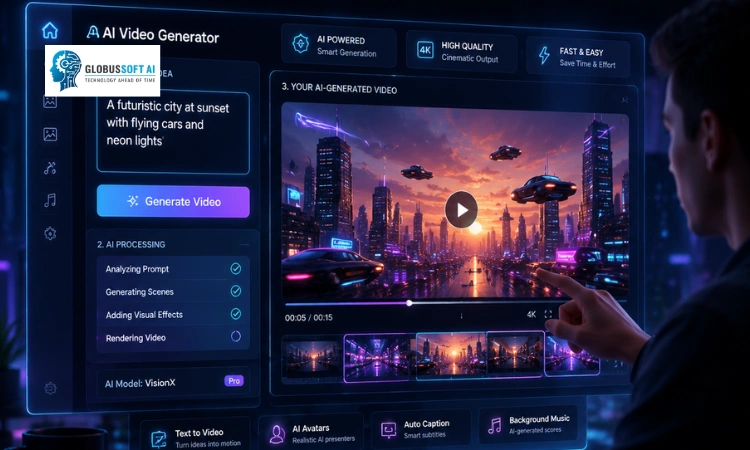
Creating videos consistently sounds simple until you actually try to do it. Ideas aren’t the problem. Execution is. That’s where a video AI generator changes the equation.
Instead of spending hours recording, editing, and reworking content, you can take a single idea and turn it into a usable video much faster. The gap between thinking and publishing becomes smaller.
A video generator doesn’t guarantee quality. It only speeds things up. If you don’t know how to use it properly, the output ends up looking generic.
That’s exactly why this blog matters. You’ll learn how a video generator actually works, how to choose the right type, and how to use it in a way that improves your content instead of just increasing volume.
Listen to the Podcast.
What Are AI Video Generators?
A video AI generator is a tool that converts text, images, or ideas into a finished video using AI. You provide the input, and the system handles visuals, transitions, and sometimes even voiceovers.
Many people assume this means zero effort. That’s not accurate. The quality of a video AI generator’s output depends heavily on how well you guide it. Better input leads to better results.
You might also see the term AI video generator used interchangeably, but the core idea remains the same.
Why Content Creation Needs AI Video Generators Today
Content demand has grown rapidly. One post or one video per week is rarely enough anymore. A video AI generator helps bridge that gap.
Manual creation slows things down. Planning, shooting, editing, revising, all of it adds friction. Now imagine repeating that multiple times a week.
A video AI generator reduces that friction. It allows you to focus more on ideas and less on execution. That’s the real advantage.
How AI Video Generators Enhance Content Creation
Most people only think about speed. That’s just one part of the story. A video AI generator improves multiple aspects of content creation.
Faster Content Production
Speed is the first noticeable benefit. A video AI generator can turn an idea into a video in minutes.
This doesn’t mean skipping thinking. It means reducing the time between idea and output. That difference adds up quickly.
Lower Production Costs
Traditional production involves equipment, editing software, and sometimes a team. A video AI generator removes most of these costs.
For small creators and businesses, this opens the door to consistent video creation without heavy investment.
Multi-Platform Content Creation
Each platform requires a different format. A video AI generator helps adapt content for multiple platforms without starting from scratch.
You can create one piece of content and turn it into several variations. That’s the efficiency most creators struggle to achieve manually.
Content Repurposing at Scale
This is where things get interesting. A video AI generator allows you to reuse content instead of constantly creating new material.
A blog can become a video. That video can become short clips. Those clips can be shared across platforms.
This approach builds momentum over time.
Personalized Content at Scale
A video AI generator can adjust language, tone, or visuals for different audiences. This makes content feel more relevant without creating separate versions manually.
Types of AI Video Generators
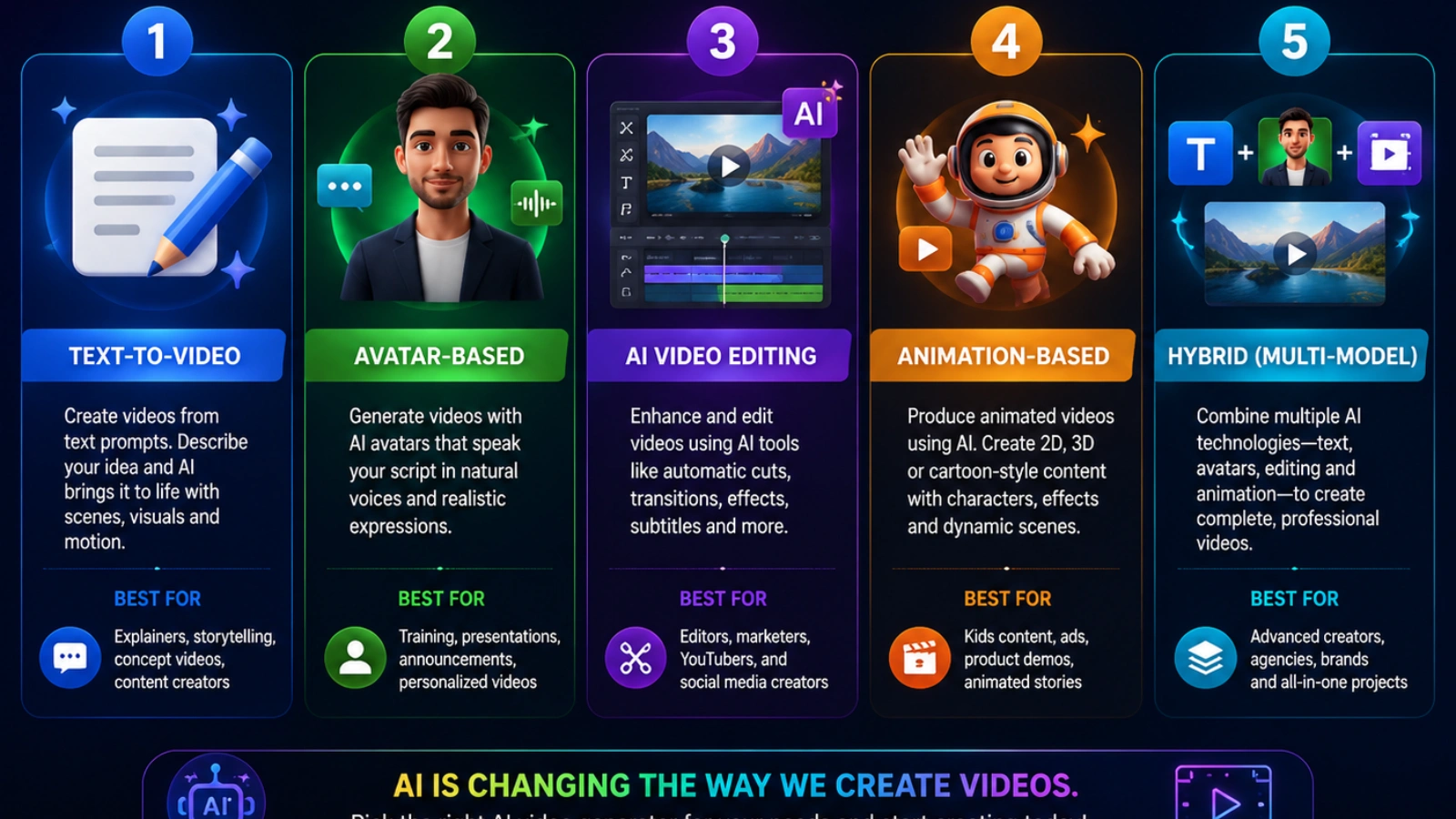
Not every tool works the same way, and that’s where many people get stuck. Choosing the wrong video AI generator often leads to poor output, even if the tool itself is powerful.
The key is to match the type of tool with your goal. Here are the main types you should understand:
Text-to-Video Generators
These tools convert written prompts into complete videos.
- Best for: social media content, quick explainer videos
- Strength: fast output and simple workflow
- Limitation: visuals can feel generic if the prompt is weak
If you need speed and volume, this type of video AI generator is usually enough.
Avatar-Based Video Generators
These tools create videos using AI presenters or virtual humans.
- Best for: tutorials, training videos, business presentations
- Strength: professional and structured output
- Limitation: less creative flexibility
This type works well when you want a clean, polished look without filming a real person.
AI Video Editing Tools
Instead of creating videos from scratch, these tools enhance existing footage.
- Best for: editing long videos, improving quality, and adding effects
- Strength: better control over the final output
- Limitation: requires existing content
A video AI generator in this category is useful if you already have raw footage and want to speed up editing.
Animation-Based Generators
These tools focus on motion graphics and animated storytelling.
- Best for: explainer videos, educational content
- Strength: visually engaging and structured
- Limitation: may not feel realistic
This type of video AI generator is ideal when clarity matters more than realism.
Hybrid AI Video Tools
Some platforms combine multiple features like text-to-video, avatars, and editing.
- Best for: creators who want flexibility in one place
- Strength: all-in-one workflow
- Limitation: can be complex for beginners
AI Video Generator vs Traditional Video Creation
Choosing between manual video production and using a video AI generator isn’t always straightforward. Each approach serves a different purpose, and the right choice depends on your goal.
Traditional video creation gives you full creative control. You decide every detail, from visuals to storytelling. But it takes time, effort, and often a team to execute properly.
A video ai generator, on the other hand, focuses on speed and efficiency. It allows you to move from idea to output quickly, making it easier to stay consistent and produce content at scale.
The difference becomes clear when you compare them side by side:
| Aspect | AI Video Generator | Traditional Video Creation |
|---|---|---|
| Speed | Fast output (minutes to hours) | Slow (hours to days) |
| Cost | Low to moderate | High (equipment, team, editing) |
| Ease of Use | Beginner-friendly | Requires skills and experience |
| Creative Control | Limited customization | Full control over every element |
| Scalability | High (easy to produce in bulk) | Low (time and resource dependent) |
| Consistency | High (standardized outputs) | Varies based on team and process |
| Best For | Social content, ads, quick videos | Films, brand storytelling, high-end work |
So which one should you choose?
If your goal is speed, consistency, and volume, a video ai generator is the better option. If you need high-quality storytelling or unique brand visuals, traditional methods still have an edge.
Most creators today don’t rely on just one. They use a artificial intelligence for regular content and switch to traditional production when quality and creativity matter more.
Also Read,
How AI Development Services Are Transforming The Digital Age
How Do Artificial Intelligence Services Drive Business Growth?
How to Use AI Video Generators (Step-by-Step)
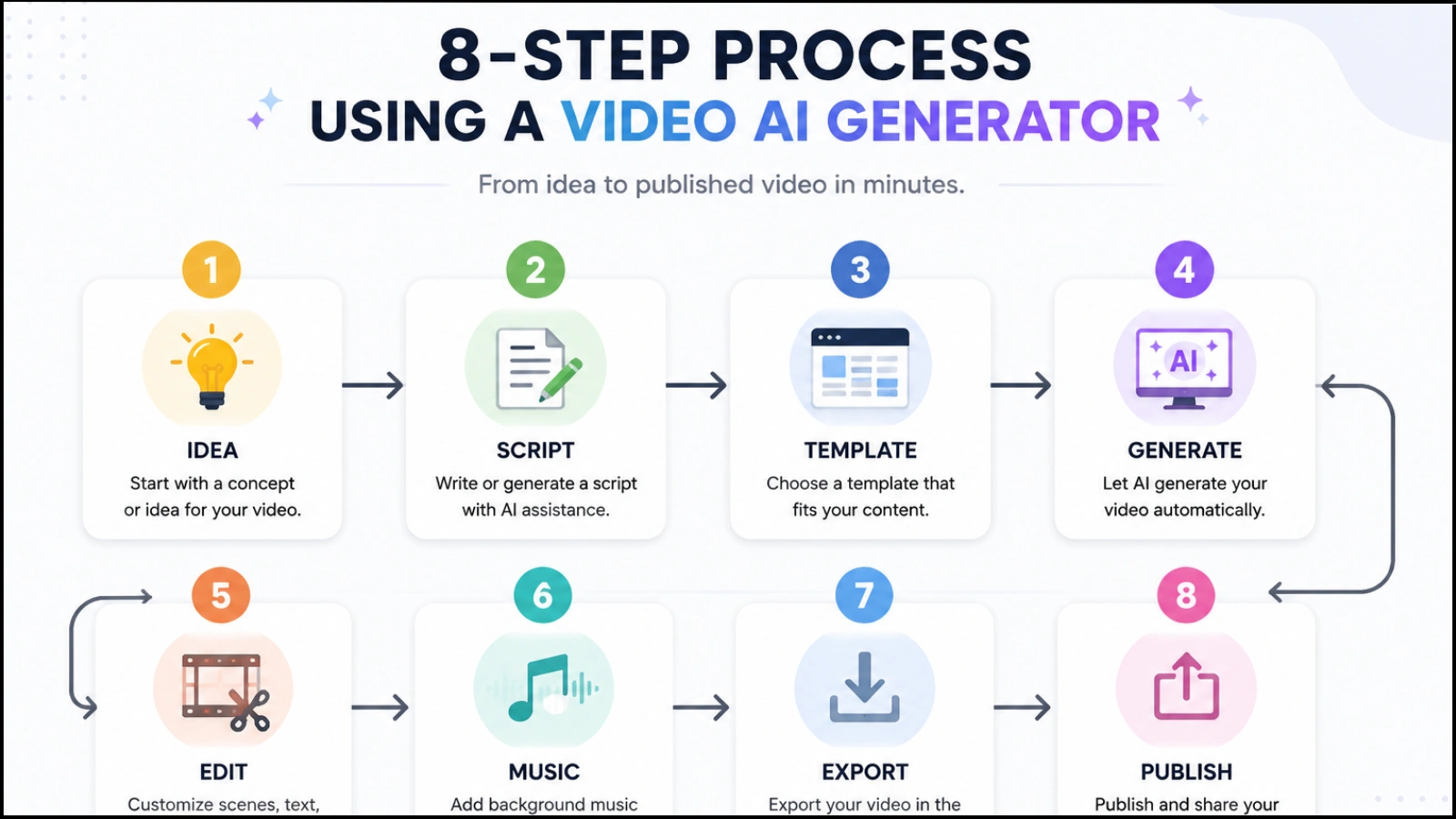
The process is simple, but execution is where most people get it wrong. Follow these steps to get better results from a video AI generator:
- Choose the right tool.
Pick a video AI generator that fits your goal. Some tools are better for quick social content, while others are designed for presentations or ads. - Write a clear script or prompt.
Your input controls the output. A well-structured script helps the video AI generator produce more accurate and relevant visuals. - Customize visuals and voice settings.
Adjust style, tone, voiceovers, and layout. This step ensures your content doesn’t look generic and stands out. - Generate the video
Let the video AI generator process your input and create the first version of your video. - Review and refine the output.
Watch the video carefully. Fix minor issues such as pacing, text alignment, or visual inconsistencies to improve quality. - Edit if needed
Add final touches such as branding, captions, or transitions. Even a small edit can make a big difference. - Publish and test performance.
Share your video across platforms. Track engagement and see how your audience responds. - Use feedback to improve future videos.
Analyze what worked and what didn’t. This helps you create better content with your video AI generator over time.
How GlobussoftAI Supports Your Content Workflow

A video generator helps you create videos faster, but it doesn’t solve the full workflow problem. You still need to manage ideas, scripts, edits, and distribution.
That’s where GlobussoftAI fits in.
It allows you to connect multiple steps into one system. Instead of using a video generator in isolation, you can automate content creation from start to finish.
With AI agents and workflow automation, you can:
- Generate scripts and ideas.
- Convert them into videos.
- Repurpose content across platforms.
- Maintain consistency without extra effort.
This makes it easier to scale content without increasing workload.
Conclusion
Creating videos consistently isn’t just about working harder. It’s about removing friction from the process. That’s where AI tools start to make a real difference.
They help you move faster, reduce effort, and turn ideas into content without getting stuck in execution. But tools alone don’t solve the problem. The real value comes from how you use them within a structured workflow.
When used thoughtfully, AI can help you stay consistent, repurpose content effectively, and scale without burning out. When used blindly, it often leads to content that feels repetitive and forgettable.
The goal isn’t just speed. It’s clarity, consistency, and a system that actually works over time.
FAQs
- What is a video AI generator?
A video AI generator is a tool that uses artificial intelligence to convert text, images, or prompts into videos automatically. It helps creators produce videos faster by handling editing, visuals, transitions, and sometimes voiceovers.
- What’s the best AI video generator for content creators?
The best AI video generator depends on your goals. Some tools are better for social media content, while others focus on presentations, ads, or realistic avatars. The best AI video generator is the one that matches your workflow, content style, and scalability needs.
- Is there any AI video generator free to use?
Yes, many platforms offer a free AI video generator plan with limited features. These free versions are useful for testing workflows, creating short videos, or understanding how AI-powered video creation works before upgrading to premium plans.
- How does a video AI generator improve content creation?
A video AI generator reduces the time required for scripting, editing, and production. It helps creators publish content consistently, repurpose existing material, and scale video output without increasing workload.
- Can an AI video generator replace traditional video editing?
An AI video generator can automate many parts of video creation, but it may not fully replace traditional editing for high-end creative projects. Most creators combine AI tools with manual editing to achieve better quality and customization.




