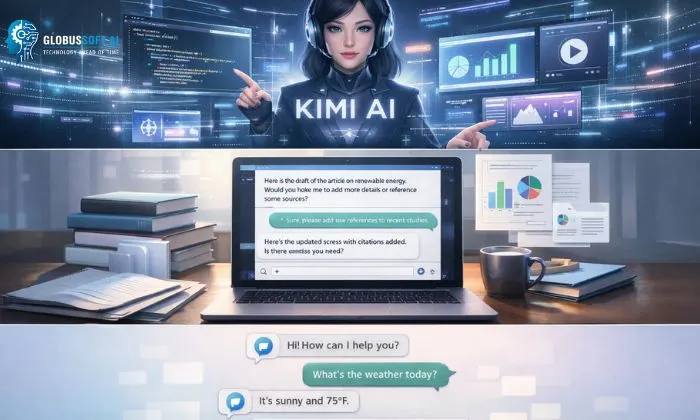
AI chatbots have rapidly evolved from simple question-answering tools into powerful assistants capable of handling complex tasks like content creation, research, and even coding. As businesses and individuals increasingly rely on AI for productivity, new tools continue to emerge, each promising better performance and smarter capabilities.
One such tool gaining attention is kimi ai. Known for its ability to process large amounts of text and provide detailed, context-aware responses, it has quickly positioned itself as a strong contender in the AI chatbot space. Whether you’re a student, developer, or business professional, tools like this are changing how everyday tasks are completed.
But with so many AI platforms available today, it’s natural to wonder what makes this one different? Is it truly worth using, or just another addition to an already crowded market?
You can listen to this blog here.
What Is Kimi AI?
To understand the growing buzz around this tool, it’s important to first answer a simple question: what is kimi ai?
At its core, kimi is an advanced AI-powered assistant designed to handle a wide range of tasks through natural language interaction. Similar to other modern AI tools, it allows users to ask questions, generate content, summarize documents, and even assist with technical work like coding, all through a conversational interface.
What sets it apart is its strong focus on handling long-form content. Unlike many traditional AI tools that struggle with large inputs, this platform is built to process extensive documents, making it especially useful for research, analysis, and professional workflows.
Another key aspect is its role as a kimi chatbot, which means it’s designed to interact in a human-like, conversational way. Users can engage with it just like they would with a real assistant, asking follow-up questions, refining responses, or diving deeper into specific topics without losing context.
Overall, kimi ai is not just a basic chatbot; it’s a productivity-focused AI tool aimed at simplifying complex tasks, improving efficiency, and helping users get more done in less time.
Key Features of Kimi AI
Kimi AI stands out because of its rich set of features designed to make everyday tasks easier and more efficient. Here’s a closer look at what makes it powerful:
- Natural Language Understanding – One of the core strengths of Kimi is its ability to understand context and nuances in human language. Whether you ask a simple question or request a detailed report, it interprets your input accurately and provides relevant responses.
- Long-Context Processing – Unlike basic chatbots that forget earlier messages, Kimi can handle long conversations and large chunks of text. This is particularly useful for research, summarizing documents, or tracking multi-step workflows.
- File Handling and Document Analysis – Users can upload documents for analysis, making Kimi useful for reviewing reports, extracting insights, or generating summaries without manually going through pages of content.
- Multilingual Support – In today’s global environment, Kimi can communicate in multiple languages, broadening its accessibility and usability for international teams.
- Kimi Chatbot Functionality – Acting as a responsive kimi chatbot, it allows smooth interactive sessions where users can clarify, refine, or expand answers. This conversational style creates a more human-like experience compared to traditional AI tools.
- Personalized Suggestions – Based on prior interactions, Kimi can tailor responses to the user’s preferences, enhancing efficiency and productivity over time.
With these features, Kimi AI isn’t just another chatbot; it’s a multifunctional assistant that adapts to diverse needs, making it a practical choice for both personal and professional use.
Kimi Claw and Advanced Capabilities
One of the standout elements of Kimi AI is Kimi Claw, a unique feature that adds advanced data retrieval and browsing capabilities to the platform. While traditional chatbots can provide answers based on pre-trained knowledge, Kimi Claw allows the AI to actively pull in information from external sources in real time, making responses more accurate and up-to-date.
This feature is particularly useful for users who need to analyze current trends, extract data from online resources, or quickly gather insights without switching between multiple tools. For example, a marketing professional could ask Kimi to summarize the latest industry reports, and Kimi Claw would help retrieve relevant data efficiently.
Kimi Claw also supports structured searches and document parsing, enabling users to find specific details within large datasets. It essentially transforms Kimi from a passive assistant into an active research companion.
By combining conversational intelligence with dynamic information retrieval, Kimi Claw significantly enhances the AI’s capabilities, making it not just a chatbot but a productivity powerhouse capable of handling complex, multi-step tasks.
Kimi Code: AI for Developers
Beyond general productivity, Kimi AI also caters to developers through its Kimi Code functionality. This feature allows the AI to assist with coding tasks, from generating snippets and debugging to explaining complex code logic in simple terms.
For developers, this can save hours of repetitive work. For instance, Kimi Code can quickly produce a function based on a user’s requirements or identify errors in an existing script. It supports multiple programming languages, making it versatile for different projects.
What makes Kimi Code especially helpful is its interactive nature. Developers can provide iterative instructions asking the AI to refine, optimize, or expand the code just like collaborating with a human teammate. This feature can be a valuable resource for beginners learning to code or professionals looking for quick solutions.
While Kimi Code may not replace a full development environment, it’s a smart assistant that speeds up coding workflows, reduces errors, and helps users understand programming concepts more efficiently. Combined with the other capabilities of Kimi, it makes the platform a comprehensive tool for both general users and tech professionals.
Use Cases of Kimi AI
Kimi AI is a versatile tool with applications across different domains. Its flexibility makes it valuable for professionals, students, businesses, and developers alike. Here are some of the most common use cases:
- Content Creation and Writing – Kimi can generate blog posts, social media content, marketing copy, and more. Users can provide guidelines or topics, and the AI produces structured, readable content quickly.
- Research and Summarization – With features like Kimi Claw, it can scan large volumes of text, summarize reports, or provide concise answers to complex queries, saving users hours of manual reading.
- Customer Support Automation – Businesses can leverage Kimi as a chatbot to handle routine customer queries. Its conversational style ensures interactions feel natural while providing accurate information.
- Business Productivity Workflows – From preparing meeting notes to analyzing datasets, Kimi streamlines administrative tasks, freeing up time for strategic decision-making.
- Developer Assistance – Through Kimi Code, developers can quickly generate code snippets, debug scripts, or learn new programming concepts interactively.
- Education and Learning – Students can use Kimi to clarify concepts, generate study materials, or receive explanations tailored to their learning pace.
By supporting a wide range of tasks, Kimi demonstrates that it’s not just a simple chatbot it’s a multifunctional assistant that can enhance productivity, efficiency, and creativity across industries.
Advantages of Kimi AI
Kimi AI offers several advantages that make it stand out in the crowded AI assistant market:
- Efficient Long-Form Processing – Many chatbots struggle with large inputs, but Kimi AI can handle long conversations, documents, and multi-step queries without losing context.
- Versatility Across Domains – Whether it’s content creation, research, coding, or customer support, Kimi adapts to diverse tasks, making it useful for both personal and professional needs.
- Human-Like Interaction – As a kimi chatbot, it provides natural, conversational responses, allowing users to engage with the AI seamlessly and intuitively.
- Enhanced Data Retrieval with Kimi Claw – This feature ensures users get accurate, updated information quickly, reducing the need to manually search multiple sources.
- Developer-Friendly Tools – Kimi Code empowers programmers to generate, debug, and optimize code efficiently, serving as a smart coding assistant.
- Time-Saving and Productivity Boost – By automating repetitive tasks and providing quick insights, Kimi helps users focus on high-value activities.
Overall, Kimi combines speed, intelligence, and flexibility. Its ability to manage complex tasks while maintaining ease of use gives it a distinct edge over many standard AI tools.
Limitations of Kimi AI
While Kimi offers impressive features, it’s important to consider its limitations to have a balanced perspective:
- Accuracy Concerns – Like most AI tools, Kimi AI can occasionally provide inaccurate or incomplete responses, especially on very niche or highly specialized topics. Users need to verify critical information independently.
- Learning Curve for Advanced Features – Features like Kimi Claw and Kimi Code may require some familiarization. Beginners might find it challenging to leverage these tools fully without guidance.
- Access and Availability – Depending on subscription plans or regional restrictions, some users may face limited access to certain advanced capabilities.
- Dependency on Internet and External Sources – Since Kimi Claw pulls real-time information, a stable internet connection is essential. Any downtime or blocked sources can affect performance.
- Competition with Specialized Tools – While versatile, Kimi may not replace highly specialized software designed exclusively for coding, analytics, or content creation. In such cases, it works best as a complementary assistant rather than a complete replacement.
Recognizing these limitations helps users set realistic expectations and use Kimi most effectively, leveraging its strengths while understanding where manual intervention or verification is needed.
Kimi AI vs Other AI Chatbots
In a market filled with AI assistants, Kimi AI distinguishes itself in several ways, but it’s useful to understand how it compares with others:
- Context Management – Kimi excels in handling long conversations and multi-step queries. Many other chatbots lose track after a few exchanges, giving Kimi an edge in tasks that require continuity.
- Advanced Features – Tools like Kimi Claw and Kimi Code provide capabilities that go beyond standard chatbots, such as real-time data retrieval and code generation. Most competitors may offer either one or the other, not both.
- User Experience – The kimi chatbot interface focuses on natural, human-like interaction, making it more intuitive for non-technical users compared to chatbots that feel rigid or scripted.
- Versatility – While some AI assistants specialize in a single domain (e.g., coding, writing, or customer support), Kimi balances multiple functions, making it a go-to tool for diverse needs.
- Limitations Compared to Niche Tools – Despite its strengths, Kimi may not match highly specialized platforms in areas like advanced programming IDEs or professional-grade analytics tools. It’s best positioned as a flexible, multipurpose assistant rather than a dedicated niche solution.
In summary, Kimi combines conversational intelligence, productivity features, and developer tools in one platform. Its balance of versatility and usability makes it a compelling option for users who want an all-in-one AI assistant.
How GlobussoftAI Enhances AI Adoption
Integrating AI tools like Kimi AI into everyday workflows can be seamless with the right support, and this is where GlobussoftAI comes in. GlobussoftAI specializes in providing businesses and individuals with AI solutions that simplify adoption, implementation, and optimization.
By leveraging GlobussoftAI, organizations can deploy Kimi more efficiently, whether it’s for automating customer support, streamlining content creation, or supporting developer teams with Kimi Code. The platform offers guidance on integration, customization, and scaling AI solutions, ensuring that users maximize the tool’s potential.
How GlobussoftAI Helps You Get the Most Out of AI Tools
- GlobussoftAI helps businesses and individuals adopt, implement, and optimize AI tools across multiple LLM and chatbot models, including Gemini, Claude, Kimi, and more
- One of their core offerings is OpenClaw, a powerful data retrieval and agentic framework that is model-agnostic, meaning it can be implemented with any AI model or chatbot of your choice
- For teams specifically working with Kimi AI, GlobussoftAI offers a specialized implementation called Kimi Claw, which combines OpenClaw’s advanced retrieval techniques with Kimi’s strengths to unlock smarter automation and higher productivity
- Businesses can use GlobussoftAI’s solutions for a wide range of use cases, from automating customer support and streamlining content creation to supporting developer teams and building custom AI workflows
- The platform provides end-to-end guidance on integration, customization, and scaling, along with dedicated training so teams can confidently use advanced features without needing deep technical expertise
- Unlike single-model solutions, GlobussoftAI supports the entire AI landscape, turning powerful tools into actionable, results-driven solutions that are simple, efficient, and scalable for any organization
Is Kimi AI Worth It?
Kimi AI is a versatile and powerful assistant suitable for a wide range of users, from students and content creators to developers and businesses. Its combination of long-context understanding, real-time data retrieval through Kimi Claw, and coding support via Kimi Code makes it a unique all-in-one solution.
While it has some limitations, like occasional inaccuracies or a learning curve for advanced features, the advantages time-saving, multitasking, and productivity boost, often outweigh them. For users looking for a flexible AI tool that can handle both creative and technical tasks, Kimi is a worthwhile investment.
Also Read,
Openclaw Vs Chatgpt: I Used Both For 90 Days. Here’s The Winner
Professional OpenClaw Setup: What $2,500 Gets You
Conclusion
Kimi AI is more than just a chatbot; it’s a multifunctional AI assistant that combines conversational intelligence, real-time data retrieval, and coding support. With the help of GlobussoftAI, businesses and individuals can seamlessly integrate this tool into their workflows, enhancing productivity and efficiency.
Whether you need help generating content, analyzing data, or assisting with coding, Kimi proves to be a valuable companion in the evolving world of AI technology.
FAQs
- What is Kimi?
Kimi AI is an advanced AI assistant capable of conversational interactions, content generation, document analysis, and coding support. - Is Kimi free to use?
Access may depend on subscription plans. Some basic features might be free, while advanced tools like Kimi Claw or Kimi Code may require paid access. - What is Kimi Claw?
Kimi Claw is a feature that allows Kimi to retrieve real-time information from external sources, improving the accuracy and relevance of responses.