

In 2026, ai-powered crm and business tool integration is the most reliable way for small teams to convert scattered conversations into trackable actions and revenue. Whether you’re managing B2B pipelines or a fast-moving local service, tightly integrating AI with your CRM and everyday tools pulls context from WhatsApp, Telegram, and email, turns it into tasks and follow-ups, and logs every step so nothing falls through the cracks. This guide strips away hype to show what matters to small businesses right now: predictable costs, security that’s simple to operate, and real workflows that close loops instead of creating new tabs. You’ll see how to vet vendors, choose hosting with confidence, and use GlobussoftAI OpenClaw to orchestrate multi-channel automation you fully control, plus a rollout plan and examples you can apply this week.
Why Small Businesses Struggle With CRM and AI Integration
You’re not short on ideas; you’re short on hours. A two-person sales team can’t manually tag every contact, chase every quote, and write every follow-up. Meanwhile, each new “tool” adds a tab, a login, and one more data island to keep in sync.
However, the core issue isn’t just tool count, it’s the gaps between them. Your CRM holds lead status. Your email holds context.
Your WhatsApp chats hold the real pulse. Without ai-powered crm and business tool integration, that context never meets action. So the same work gets redone, and small delays cost real deals.
On top of this, enterprise AI add-ons promise a lot, then slap on per-seat fees and usage tiers you can’t predict. You pay for features you don’t need yet. You also get boxed into one vendor’s channels and rules. As a result, the ROI slips, even if the tech looks slick.
Moreover, small teams face four common blockers. First, APIs are confusing. Second, security setup (keys, roles, and encryption) feels risky. Third, writing prompts and playbooks takes time you don’t have. Fourth, it’s hard to measure what’s working across channels.
Common friction points you’ve felt
- One contact record across email, WhatsApp, and CRM? Not quite.
- Follow-ups fall through when one app isn’t checked for a day.
- Add-on licenses stack up faster than the wins.
- No clear log of who did what, and when, across channels.
- “Simple” integrations break when one tool updates.
As you weigh your next move, remember your real goal: fewer moving parts, more closed loops, and a predictable cost that won’t go wild as you grow.
What to Look for in an AI CRM Integration Service
Buying AI is hard when every site shouts the same claims. So judge providers on a short list with clear pass/fail checks. If a vendor can’t answer these in one call, keep your wallet closed.
First, demand security by design. Moreover, keys, access, and audit trails must be easy to manage. If you’re self-hosting, ask how secrets are stored and rotated.
For general guidance on crypto standards, see NIST’s Cryptographic Standards and Guidelines.
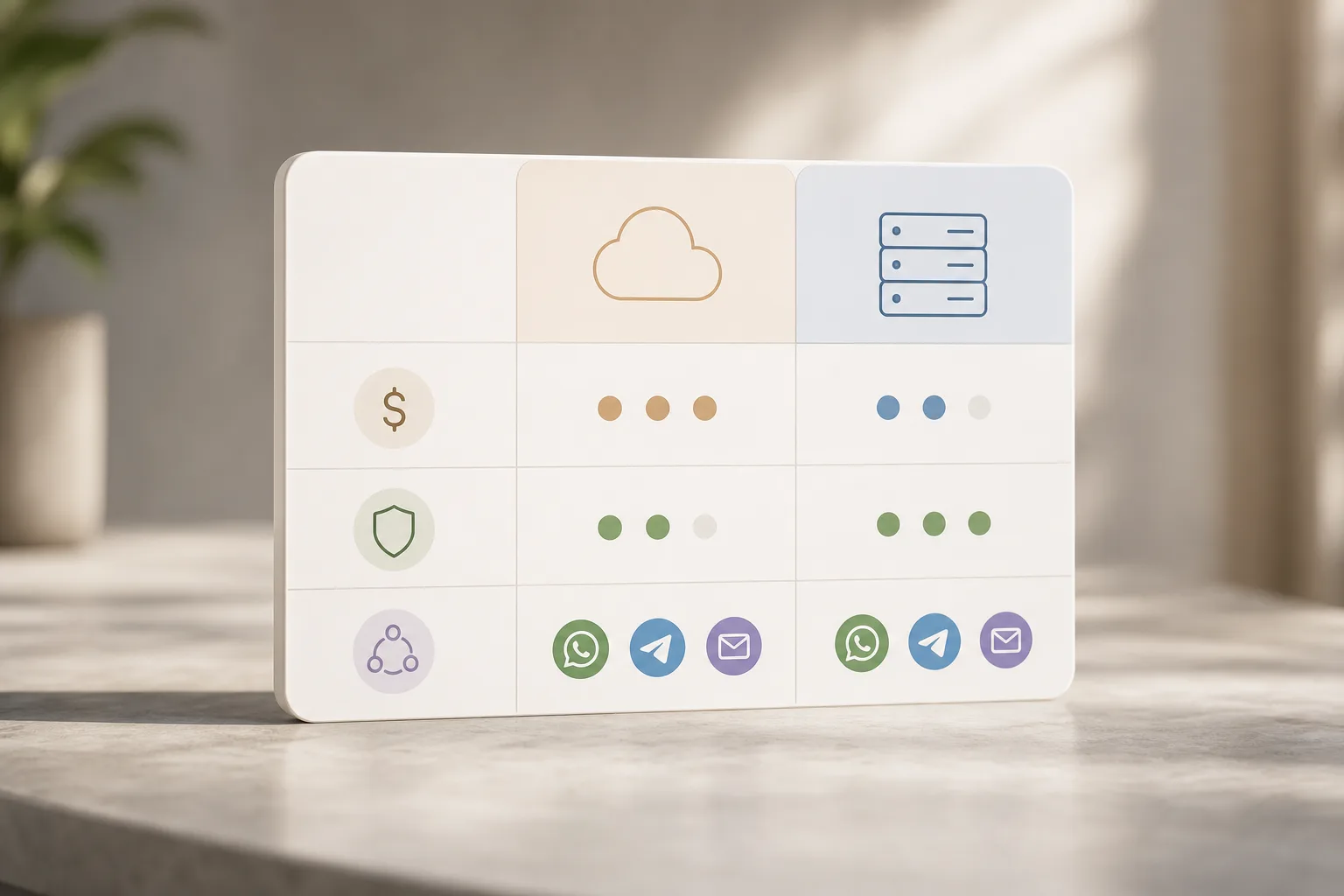
Second, decide on hosting early. Self-hosted gives you data control, lower long-term cost, and custom options. Cloud is quick to start but can lock you into a bill and an ecosystem you can’t change. Therefore, compare not just setup time, but exit options and data portability.
Third, push beyond chat. Natural language processing should power real workflows: qualify a lead, create a deal, send a tailored email, and log it, all from the same thread. Specifically, look for multi-channel support across WhatsApp, Telegram, and email, plus the ability to call your CRM and analytics tools.
Key criteria that save time and money
- Multi-channel support across WhatsApp, Telegram, and email.
- Self-hosted option with clear guides, or a managed install.
- End-to-end encryption, RBAC, and audit logs you can read.
- Automation depth: beyond replies to full workflow actions.
- NLP that handles your domain words without “hallucinations.
- Clear, low, predictable cost with no hidden usage traps.
- Scalability planning for long-term growth baked into the setup.
- Human support that answers in hours, not weeks.
Finally, check support and tuning. You’ll want someone who can shape prompts and agents to your sales cycle and support tone. As a result, you’ll avoid a month of trial-and-error and see ROI faster.
Also Read!
How to Choose a Predictive Analytics AI Tool for Fintech
How to Build a Custom AI Chatbot for Your Healthcare Organization
How GlobussoftAI OpenClaw Solves CRM Integration for Small Teams
Let’s map features to the jobs you need done. OpenClaw is an open-source AI agent framework that runs autonomous workflows on a self-hosted server, with managed services from GlobussoftAI for setup and care. In short, it pairs control with real-world outcomes.
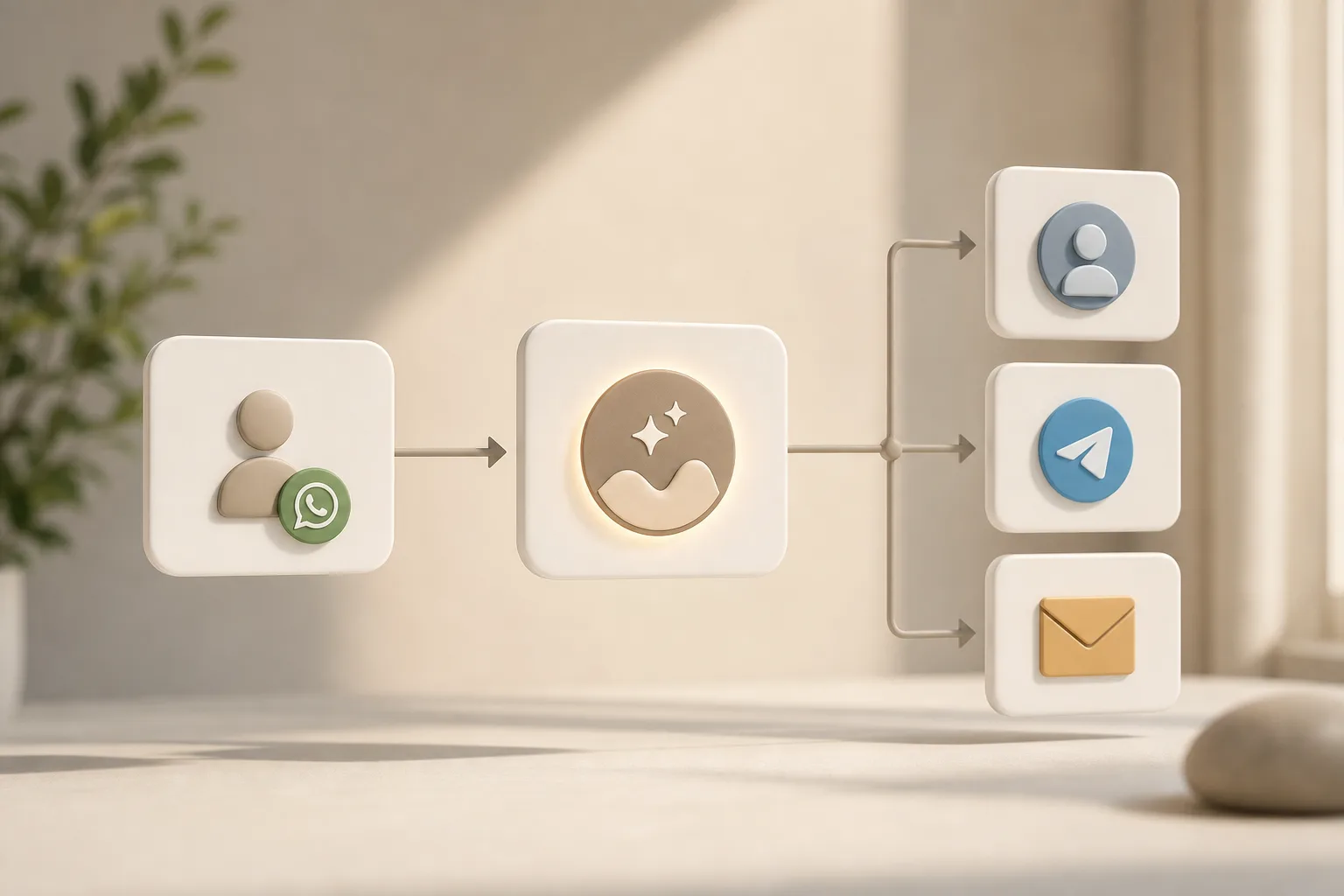
First, it plugs into your stack: system integration with CRMs and analytics tools means your agents can read a deal, write a note, and kick off a task without human copy-paste. Moreover, instructions execution through WhatsApp, Telegram, and email lets you act from where your team already lives. For example, email management automation via a single WhatsApp message turns “Send the updated quote to Priya, CC ops” into a logged email with the right template and fields.
Second, it’s cost-aware. The core framework is free. A small VPS runs around $5/month, and total costs are usually under $10/month with AI model usage. As a result, you can pilot with real workloads, not a toy demo, without budget stress.
Third, it’s built for outcomes. Businesses implementing AI services report up to a 40% reduction in operational costs and 30% increase in productivity. While your exact gains vary by process, the mix of agent workflows, channel reach, and CRM actions targets the places where time gets lost.
Moreover, the service includes custom development for workflow automation and AI-driven reporting. So instead of generic bots, you get agents that match your pipeline, tags, and SLAs. As a result, your team spends less time herding tools and more time moving deals forward with ai-powered crm and business tool integration at the core.
What it looks like day to day
- “Qualify this new lead and schedule a call next week.” The agent adds the lead, scores it, proposes a time, and logs the task.
- “Summarize this email thread and update the deal notes.” The agent writes a clean summary to your CRM and suggests next steps.
- “Share this week’s pipeline health on Telegram.” The agent posts a clear digest with highlighted risks and wins.
For a deeper dive into service options, channel setup, and install choices, see the overview at openclaw AI integration and this short explainer on AI-powered chatbot.
GlobussoftAI OpenClaw vs. Generic CRM AI Plugins: An Honest Comparison
Native CRM add-ons such as Salesforce Einstein and HubSpot AI are polished and tightly tied to their platforms. If you live 100% in one CRM and accept premium add-on pricing, it can be a clean path. However, they keep you inside one channel mix, and custom cross-tool work can be hard.
By contrast, OpenClaw is an open-source AI agent framework that runs autonomous workflows on a self-hosted server. That means you get control, channel choice, and the freedom to swap models or tools later. Moreover, it reached 100,000 GitHub stars in under eight weeks, a strong social signal that the developer community is active and invested.
Where other tools fall short is multi-channel action tied to your data rules. OpenClaw focuses on instruction execution through WhatsApp, Telegram, and email, with system integration to your CRM and analytics stack. In addition, GlobussoftAI offers custom development for workflow automation and AI-driven reporting, so you’re not stuck with one-size-fits-none templates found in generic plugins used for AI-powered CRM and business tool integration.
Trade-offs to weigh in 2026
- Control vs speed: Self-hosting gives control and cost wins; cloud add-ons start fast.
- Cost model: OpenClaw’s core is free; a small VPS is about $5/month; total spend is usually under $10/month including model use. Native add-ons are premium extras.
- Channels: OpenClaw works across WhatsApp, Telegram, and email. Native add-ons lean into in-CRM channels.
- Custom work: OpenClaw supports deep workflow design. Native tools favor preset features and guardrails.
| Area | OpenClaw (Self-Hosted) | Native CRM AI Add-Ons |
|---|---|---|
| Hosting | Your VPS or server | Vendor cloud |
| Channels | WhatsApp, Telegram, Email | In-CRM first |
| Cost | Core free; ≈ $5 VPS; < $10 total | Premium add-on pricing |
| Custom | High; code + agents | Limited to presets |
| Lock-in | Low | High |
If you want fast, vendor-managed AI in one place, the native route is fine. If you want control, cross-channel reach, and lower monthly cost, OpenClaw is the safer long play.
Trust, Security, and Credentials Behind the Service
Security is not an afterthought. End-to-end encryption and role-based access controls for security come standard, and the service includes a security-focused setup including access control and encrypted communication. Moreover, GlobussoftAI documents who can do what, where keys live, and how to audit actions.
Transparency matters too. The open-source framework hit 100,000 GitHub stars in under eight weeks, which signals strong public scrutiny and momentum. In addition, over 1,000 hours of testing data were used to explore OpenClaw's capabilities, including load, concurrency, and failure injection. As a result, you’re not betting on a black box.
Furthermore, managed AI operations remove day-two worries. The team handles updates, scaling, and health checks, and they build scalability planning for long-term growth into the design from day one. This balance of control and care keeps your AI-powered CRM and business tool integration on track without hiring a full-time engineer.
- End-to-end encryption with role-based access controls.
- Open-source transparency with 100,000 stars.
- 1,000+ hours of testing to validate behavior.
- Managed ops for patches, scaling, and safety nets.
Also Read!
Best Predictive Analytics AI Tool for Fintech in 2026
GlobussoftAI OpenClaw vs Kommunicate for Healthcare: Which Is Better for Custom AI Chatbot Building?
Getting Started: CRM Integration Setup for Your Small Business
You don’t need to rebuild your stack to get value. A focused rollout hits one or two high-impact flows first, like follow-up emails from WhatsApp, and adds more once the wins show up on your dashboard.
Second, you should map where your data lives today and what “good” looks like. For example, decide which tags signal “handoff to sales” and which templates the agent should use. Moreover, agree on what gets logged to the CRM and which alerts land in Telegram.
Third, lean on the team for install and tuning. Professional deployment and installation, plus AI/ML consulting to build roadmaps and implement solutions, cut weeks of guesswork. Performance optimization to ensure process efficiency then keeps results steady as volume grows with AI-powered CRM and business tool integration at the core.
Step-by-step rollout
- Step 1: Consultation. Share goals, channels, and success metrics.
- Step 2: CRM audit. Map fields, tags, and pipeline rules; define read/write scope.
- Step 3: VPS deployment. Secure a small server (about $5/month) and harden access.
- Step 4: Channel setup. Connect WhatsApp, Telegram, and email with proper keys.
- Step 5: Agent design. Define prompts, guardrails, and actions per workflow.
- Step 6: Go-live and tune. Review logs, tweak prompts, and add one new workflow per week.
Frequently Asked Questions
How much does AI CRM integration cost for a small business?
OpenClaw's core framework is free. Typical VPS hosting runs about $5 per month, and total costs are usually under $10 per month, including AI model usage. As a result, you can start without a big capital expense. Professional setup is a one-time service fee, quoted after your CRM and channel review.
Can AI CRM integration work with my existing CRM like HubSpot or Zoho?
Yes. GlobussoftAI's integration service connects OpenClaw with existing CRMs and analytics tools via APIs. Moreover, custom connectors are built during the deployment phase to fit your fields and workflows. Therefore, you keep your stack and gain cross-channel automation without re-platforming.
Do I need technical staff to maintain the AI integration?
No. GlobussoftAI offers managed AI operations with ongoing optimization. In addition, plain-English cron job setup and proactive reminders reduce technical overhead for non-technical teams. As a result, your staff can focus on sales and support, not servers and scripts.
Is my customer data secure with a self-hosted AI CRM solution?
Self-hosting means data stays on your server. OpenClaw includes end-to-end encryption and role-based access controls, and GlobussoftAI configures security during setup. Moreover, access and keys are scoped to the least needed rights. Therefore, you keep control and meet strict internal policies.
How is this different from Salesforce Einstein or HubSpot AI?
Native CRM AI tools lock you into one ecosystem at premium prices. OpenClaw is open-source, self-hosted, multi-channel (WhatsApp, Telegram, email), and costs under $10 per month in total. Furthermore, you can design custom agent workflows and swap models or tools as needs change.
How long does it take to set up AI CRM integration for a small business?
Professional deployment includes a CRM audit, integration, and channel configuration. Most small business setups are completed within days, not months, thanks to the OpenClaw framework. Moreover, the team starts with one or two workflows to deliver quick wins. Then, they expand in a planned cadence.
Can the AI handle customer support conversations automatically?
Yes. Chatbots powered by Large Language Models handle complex queries with human-like responses. In addition, AI agents automate support and process workflows across WhatsApp, Telegram, and email channels. As a result, customers get prompt answers, and your team sees clean logs in the CRM.
What if my business grows—will this solution scale?
Scalability planning is built into the service. OpenClaw handles high-volume loads and concurrent sessions, and the architecture is designed for long-term growth without re-platforming. Moreover, managed ops watch performance trends so you can add agents and channels with confidence.
The Bottom Line
You need results, not another tab. First, protect budget: a free core, about $5 for a VPS, and total costs under $10 per month let you test real workflows without risk. Second, protect data: end-to-end encryption plus RBAC, with self-hosted control, meets strict policies. Third, protect time: custom agents that act across WhatsApp, Telegram, email, and your CRM close loops where work gets lost.
If that balance sounds right for 2026, explore a focused rollout that proves one or two high-impact wins, then grow from there.




