

Businesses implementing AI services report up to a 40% reduction in operational costs and 30% increase in productivity. For hospitals, ai-powered crm and business tool integration turns those gains into fewer phone tags, shorter queues, and cleaner handoffs. In 2026, you don’t need a moonshot; you need clear scope, safe data flows, and a build plan that fits your teams and tools.
As a healthcare IT lead, you already juggle EHR/EMR sync, consent, and referrals. Add AI, and stakes rise: misrouted PHI or a missed audit trail can trigger risk. However, with a tight plan, you can use predictive analytics to flag readmission risks, natural language processing (NLP) to speed intake, and journey mapping to route tasks across care, rev cycle, and outreach.
This guide is education-first. We’ll cover what “AI in a CRM” means in a clinical context, then walk line-by-line through a 7-step plan, common mistakes, and the tools landscape. You’ll leave with a 30/60/90-day roadmap you can share with your CMO, CNIO, and privacy office. The aim is to de-risk change while unlocking measurable outcomes your board can recognize.
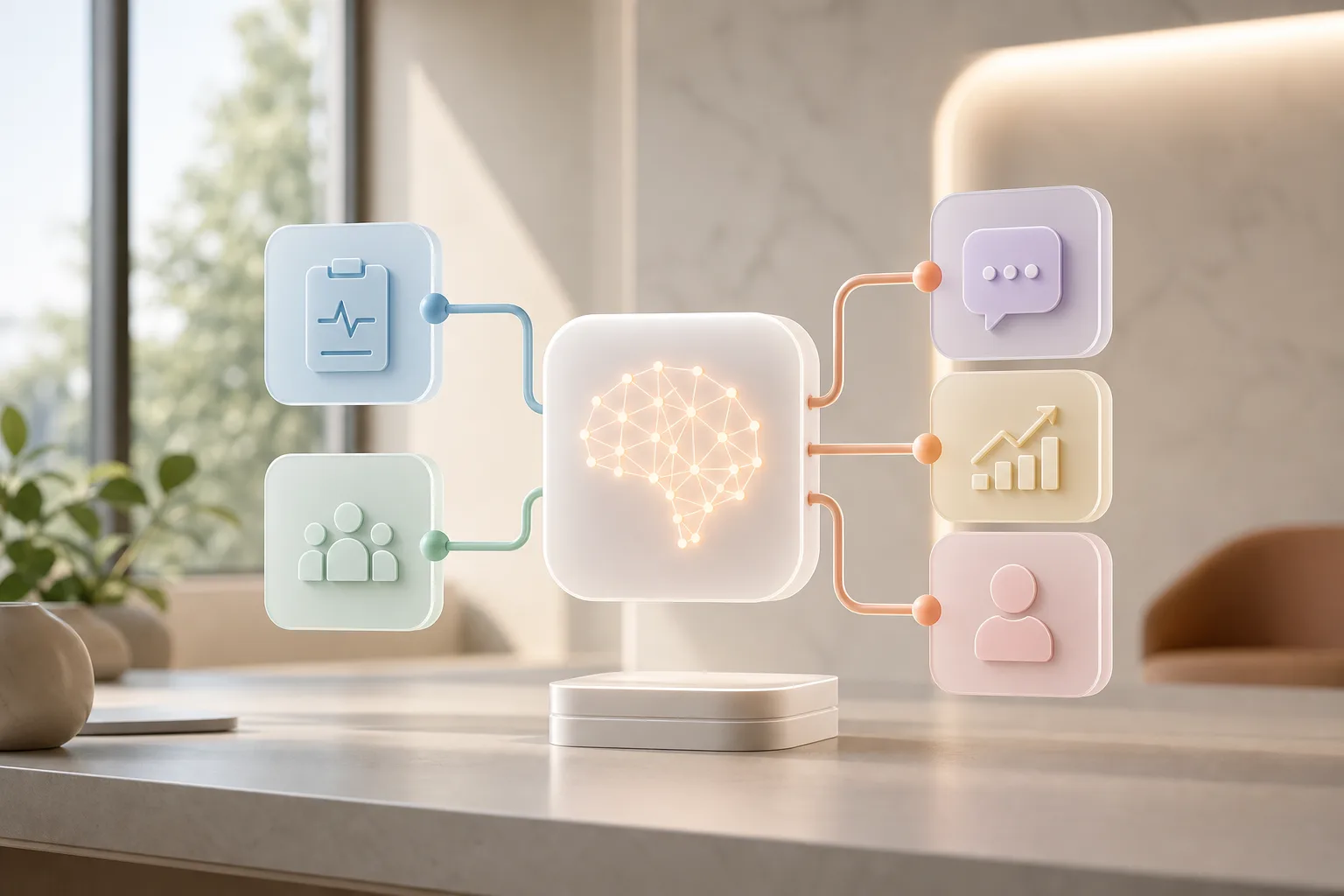 , and patient-facing apps with HIPAA-compliant data flows; hospital UI style; 2026)
What Does AI CRM Integration Actually Mean for Healthcare?
AI CRM integration means your CRM stops being just a contact repository and becomes a care operations hub. In healthcare, that hub connects to EHR/EMR, scheduling, billing, contact centers, portals, and outreach tools. It adds machine learning models, predictive analytics platforms, and natural language processing systems to guide front-line tasks with timely prompts and risk scores.
Unlike generic CRMs, a healthcare-aware CRM must keep PHI safe, document consent, and write back to clinical systems. It needs role-based access, audit logs, and clear handoffs between clinical and non-clinical users. Moreover, it must “speak” HL7/FHIR and align with care pathways. A missed allergy note or duplicated outreach isn’t a minor nuisance, it can be a safety event.
Specifically, patient journey mapping becomes the backbone. You chart steps from referral to first visit, from discharge to follow-up, and from care plan to adherence checks.
Then, AI suggests the next best action at each touch. For example, it can suggest a social work consult after a flagged SDoH screen, or prompt a nurse call when vitals cross a configured threshold.
Core healthcare-specific requirements
- Role- and attribute-based access control (RBAC/ABAC) so front-desk, care managers, and clinicians only see what they need.
- HL7 v2 and FHIR R4/R5 compatibility with clear rules for which fields are the system of record.
- Consent capture and management that respects revocation, age-of-majority, and proxy access.
- Immutable audit logs for every PHI read/write, model inference, and notification sent.
- Alignment to clinical vocabularies (SNOMED, LOINC, ICD-10, RxNorm) to prevent semantic drift between EHR and CRM entities.
Document these requirements in a short architecture decision record so they survive handoffs and remain visible during vendor changes or team transitions.
Also define data stewardship early. Assign owners to each CRM object and FHIR resource, and make sure data lineage and retention rules are explicit for both clinical and non-clinical records.
How journey mapping turns into action
-
Define milestones (referral received, appointment scheduled, pre-op completed, discharge, day-2 follow-up, 30-day check-in).
-
Attach data signals to each milestone (SDoH flags, vitals, missed calls, unread portal messages).
-
Configure AI prompts or predictive models that recommend next steps (call routing, task assignment, education content).
-
Orchestrate tasks to the right team with SLAs, and write outcomes back to the EHR where clinically relevant.
As an illustration, a perioperative pathway might trigger pre-op instructions via SMS three days before surgery. If the patient doesn’t read the message within 24 hours, the CRM can escalate to a call task for a navigator.
Post-discharge, a readmission-risk score can route a nurse follow-up within 48 hours. If new symptoms are reported, the system can generate a structured note for clinician review and log it back to the chart.
Where AI Adds Clear Value
- Predictive readmission: A model scores risk using diagnoses, prior admits, SDoH, and discharge plans, then schedules a 48-hour call and PCP follow-up.
- NLP intake: A triage bot extracts symptoms, meds, and time of onset from free text or voice, then pushes a structured form to the CRM queue. See this primer on setting up an AI powered chatbot.
- Diagnostics context: While physicians use separate diagnostic AI, the CRM can attach links to those results so staff plan outreach tied to the latest findings.
- Care gap closure: Analytics flag overdue screenings or vaccinations, and the CRM sequences reminders with channel and timing optimized to patient preferences.
- Revenue cycle support: Prior-authorization assistants pre-fill forms from the chart, and denials analytics identify claims likely to be overturned with targeted documentation.
As a result, ai-powered crm and business tool integration is less about shiny features and more about timely, safe, and documented nudges that move a patient from “scheduled” to “seen,” and from “discharged” to “stable”.
Tie each suggestion to a clear rationale in the UI so staff understand why the system recommended an action and can override or annotate when needed. Pair explainability with feedback buttons so frontline users can upvote, downvote, or propose edits to prompts and tasks.
Also Read!
Best AI CRM Integration Service for Healthcare in 2026
Can Healthcare Organizations Trust AI-Powered CRM Integration?
7 Steps to Integrate AI into Your Healthcare CRM
You do not need to rebuild your stack. You need a staged plan with clear gates. Use the steps below to align IT, clinical ops, privacy, and finance.
First, scope the work as a service line pilot, not a system-wide switch. That lowers risk and helps you see real results fast.
The Plan
- Audit current CRM and data
Map contacts, accounts, care teams, consent, and custom objects. Score data quality and freshness. Note where PHI sits, who accesses it, and how it logs. – Deliverables: Entity-relationship diagram, data quality scorecard, and an access matrix tied to roles.
- Questions to answer: Which fields are authoritative? Where are duplicates created? What’s the SLA for updates?
- Pitfalls to avoid: Auditing only fields and skipping processes. Interview end users to learn where workarounds create shadow data.
- Define HIPAA-compliant AI use cases
Write your use cases with minimum necessary data. Document lawful basis and consent rules. For reference, see the HHS HIPAA overview. – Deliverables: Use-case briefs with data elements, retention rules, and user stories that avoid incidental disclosure. – Questions to answer: Can you de-identify or pseudonymize during training?
What’s your prompt/output logging policy? – Pitfalls to avoid: Overbroad scopes that pull unnecessary PHI into prompts or vendor APIs. Trim inputs to the minimum necessary and mask test data.
- Map EHR/EMR data flows
Trace HL7/FHIR endpoints, batch jobs, and webhook events. Define what writes back to the chart vs. what stays in the CRM. Keep clinical truth in the EHR.
- Deliverables: Source/target mapping, API catalog, and a write-back policy with conflict resolution rules. – Questions to answer: How will you version FHIR resources? What happens during EHR downtime?
- Pitfalls to avoid: One-way assumptions. Plan for bidirectional syncs where needed and spell out reconciliation after outages.
- Choose integration architecture
Pick event-based (webhooks/queues) for speed or batch for stable jobs. Plan for retries, dead-letter queues, and audit logging. Keep end-to-end encryption and role-based access controls in scope from day one.
- Deliverables: Sequence diagrams, retry/backoff policies, secrets management plan, and key rotation schedule. – Questions to answer: What’s the maximum allowable latency per use case? How do you contain blast radius on failure?
- Pitfalls to avoid: Over-centralizing logic in a single monolith. Favor loosely coupled services with clear contracts and backpressure handling.
Add a quick chaos test in non-prod to simulate message storms and API throttling. Validate that alerts surface to the right team with actionable context and that failures degrade gracefully.
- Build or buy AI models
Start with proven predictive analytics platforms for readmission and off-the-shelf NLP for intake. Add fine-tuning later with domain-specific data. Avoid training on raw PHI unless your BAAs and controls are airtight.
- Deliverables: Model cards with intended use, training data description, bias checks, and monitoring thresholds. – Questions to answer: Where will inference run (on-prem, VPC, or vendor)? How will you handle model updates and rollbacks?
- Pitfalls to avoid: “One model to rule them all.” Keep models scoped tightly to use cases and version them explicitly with rollback plans.
- Test with a pilot department
Select one unit, such as cardiology or orthopedics. Define 2–3 KPIs (e. g., show-up rate, call backlog). Run A/B or time-based pilots and journal every incident.
- Deliverables: Pilot runbook, KPI dashboard, and a variance analysis plan. – Questions to answer: What is your success threshold? How will you collect frontline feedback quickly?
- Pitfalls to avoid: Launching without a clear stop condition. Decide in advance what success looks like and when to pause or pivot.
- Scale and monitor
Harden your AI/ML pipeline development for scalable deployment. Add observability: model drift checks, bias screens, and cost dashboards. Include scalability planning for long-term growth.
- Deliverables: Production-readiness checklist, monitoring playbooks, incident response paths, and cost guardrails. – Questions to answer: Who owns each model post-launch? How will you sunset underperforming use cases?
- Pitfalls to avoid: Ignoring ownership. Assign a named product owner and MLOps engineer for each model with rotation coverage.
For more architecture examples, see how modular AI integration patterns keep data flows simple while you add use cases.

Build Notes That Save Time
- Event-first design reduces sync issues between EHR, CRM, and AI services.
- “Human-in-the-loop” reviews prevent over-automation in sensitive workflows.
- Security-focused setup including access control and encrypted communication should be part of your Definition of Done.
- Treat prompts, templates, and workflows as versioned artifacts with change logs.
- Keep sandbox parity with production APIs so performance and auth assumptions hold in pilots.
Treat these practices as non-negotiable acceptance criteria in sprint reviews so quality and safety do not regress under delivery pressure.
Finally, keep governance simple: a short RACI, a weekly risk review, and a one-page decision log. That’s how you move from slideware to shipped workflows.
As you execute, your AI-powered CRM and business tool integration should remain boring by design. Stable jobs, clean logs, and clear handoffs beat clever code.
Pilot success metrics examples
- No-show rate delta by clinic and appointment type (baseline vs. pilot).
- Average speed to answer and first-call resolution in contact centers.
- Task aging in CRM queues (95th percentile) and escalations per week.
- Discharge call completion within 48 hours and 30-day readmission variance.
- Staff satisfaction pulse (weekly 3-question survey) and opt-out rates by channel.
- Referral-to-appointment lead time and referral leakage rate.
- Prior-authorization cycle time and denial overturn percentage.
Lightweight governance template
- RACI: Executive sponsor, product owner, clinical champion, privacy officer, data engineer, QA lead.
- Operating cadence: Weekly standup, biweekly risk review, monthly steering committee.
- Decision log: Date, owner, decision, alternatives considered, impact, and review date.
- Pause switch: Who can trigger, for which use cases, and the rollback playbook.
- Access reviews: Quarterly least-privilege audits across CRM roles and AI tooling.
Also Read!
How to Build a Custom AI Chatbot for Your Fintech Company
GlobussoftAI OpenClaw vs Botpress for Fintech: Which Is Better for Custom AI Chatbot Building?
5 Mistakes Healthcare Organizations Make with AI CRM Integration
Even strong teams hit the same traps. Here are five to avoid, plus fixes you can ship this quarter.
-
Ignoring HIPAA in model training
Do not push raw PHI into vendors without a BAA and minimum necessary controls. Mask, tokenize, or use synthetic data for early tests. Store prompts and outputs with audit trails. -
Skipping data governance
Without a data catalog and owners, models drift and dashboards rot. Assign stewards for CRM objects, FHIR resources, and AI outputs. Publish data SLAs and stick to them. -
Over-automating patient communication
Too many bots drive complaints. Keep a human-in-the-loop for triage, escalations, and any clinical advice. Set throttle rules by channel and time of day. -
Choosing generic tools without healthcare context
A tool that “works with anything” usually misses consent, access tiers, and EHR quirks. Favor platforms that support clinical vocabularies and audit out of the box. -
Neglecting staff training
AI fails when people do not trust it. Train on “why this suggestion” with simple model cards. Track adoption and collect sharp feedback in the first 30 days.
Guardrails That Work in Practice
- Model training and fine-tuning on domain-specific data should be gated by a review board with privacy and clinical input.
- Add a “pause switch” per use case. If an alert misfires, your team can stop it in seconds.
- Bake a security-focused setup including access control and encrypted communication into your CI/CD, not as an afterthought.
- Include red-team testing for prompt injection, data exfiltration, and misclassification scenarios before go-live.
“We didn’t try to automate everything on day one. A clear guardrail around escalation and a fast pause switch let clinicians build trust while we tuned the models.”
Plan each safeguard before you launch new flows. That keeps your ai-powered crm and business tool integration safe and credible with clinicians and patients.
Publish guardrails and escalation rules where clinicians can easily find them. Put them next to the workflows in the CRM and include a one-click feedback path for issues.
Tools and Services for Healthcare AI CRM Integration
You have three main paths: extend your CRM’s native AI, add best-of-breed services, or custom-build with open-source. Salesforce Health Cloud AI and Microsoft Dynamics 365 Healthcare add native prediction, scheduling, and outreach features. They fit teams that prefer one vendor and can adopt packaged processes.
However, custom needs, strict data residency, or budget caps may push you toward modular options. Open-source stacks give you control and lower runtime costs, but they ask for stronger in-house skills.
A balanced route is a services partner that brings system integration with CRMs and analytics tools, custom development for workflow automation and AI-driven reporting, and AI/ML consulting to build roadmaps and implement solutions. That combination lets you land small, verify outcomes, and scale without rework.
One option alongside the above: OpenClaw AI integration by GlobussoftAI OpenClaw Services provides professional deployment and installation, security-focused setup, and scalability planning. It reached 100,000 GitHub stars in under eight weeks, with over 1,000 hours of testing data behind its approach.
As you evaluate, remember that MLOps is a team sport. You need versioned datasets, reproducible training, model registries, and clear on-call ownership to keep models safe and useful.
Data pipelines should validate schemas at the edge, enforce PII/PHI policies automatically, and emit metrics you can alert on. The sooner you standardize these practices, the faster pilots convert to durable wins.
Build vs. Buy: A Quick Lens
- Buy if your use cases match vendor features and your BAAs are signed.
- Build if you need unique intake, custom risk scores, or on-prem constraints.
- Blend if you want packaged CRM AI plus a small NLP service for specialty intakes.

As you choose, keep costs visible. Aim for “land small, expand with proof.” Your ai-powered crm and business tool integration should pay for itself with shorter queues, higher show rates, or fewer avoidable readmissions, not with abstract promises.
Vendor assessment checklist
- Compliance: HITRUST/SOC 2 status, HIPAA BAA terms, data residency options, PHI encryption at rest/in transit.
- Interoperability: FHIR resources supported, HL7 v2 ADT/ORM/ORU coverage, SMART-on-FHIR and CDS Hooks compatibility.
- Security: Customer-managed keys (CMK), SSO/SAML/OIDC, least-privilege patterns, network controls (VPC peering/private link).
- Operations: SLAs, support model, roadmap transparency, rollback and export paths to avoid lock-in.
- Economics: Transparent pricing per user/inference/event, caps, and forecasting with cost dashboards.
- Data management: Data retention controls, deletion SLAs, lineage visibility, and export formats that preserve clinical codes.
Pilot a lightweight proof-of-value with de-identified data and a narrow KPI before committing to a long-term agreement or deep customization. Require a clear exit path and a data export dry run before signing.
Also Read!
Your Integration Roadmap: What to Do Next
You need a 90-day plan that leadership can fund and staff can execute. Here is a 30/60/90 outline you can copy into your tracker.
First 30 Days (Weeks 1–4)
- Week 1: Audit data readiness across CRM objects and EHR flows. List gaps and owners.
- Week 2: Define HIPAA guardrails, consent rules, and logging. Draft your BAAs.
- Week 3: Pick 2–3 use cases (e. g., no-show risk, discharge follow-ups).
- Week 4: Decide build vs. buy; sketch the integration architecture and test plan.
- Bonus: Stand up a bare-bones KPI dashboard with baseline metrics so you can compare pilot results quickly.
For background on business adoption patterns, this guide on generative AI for business helps you pick the right scope for Month 2.
Next 30 Days (Weeks 5–8)
- Build the minimal data pipes.
- Stand up the first model (NLP intake or readmission risk) with human review.
- Train staff on playbooks and escalation paths.
- Start the pilot in one service line. Track 2–3 KPIs daily.
- Add “kill switches” to noisy alerts and wire them to a visible runbook.
Final 30 Days (Weeks 9–12)
- Evaluate ROI with simple math (hours saved, calls cleared, show rates).
- Run a performance optimization pass on slow jobs and prompts.
- Present a scale plan with cost, staffing, and risk controls.
- Lock in your AI/ML consulting cadence for roadmap updates.
- Document lessons learned and update your decision log with go/no-go criteria for each next use case.
By Day 90, you should have a pilot with measured wins, a scale plan with known costs, and a backlog of next use cases. Your ai-powered crm and business tool integration now has traction and a path to spread.
Key Takeaways
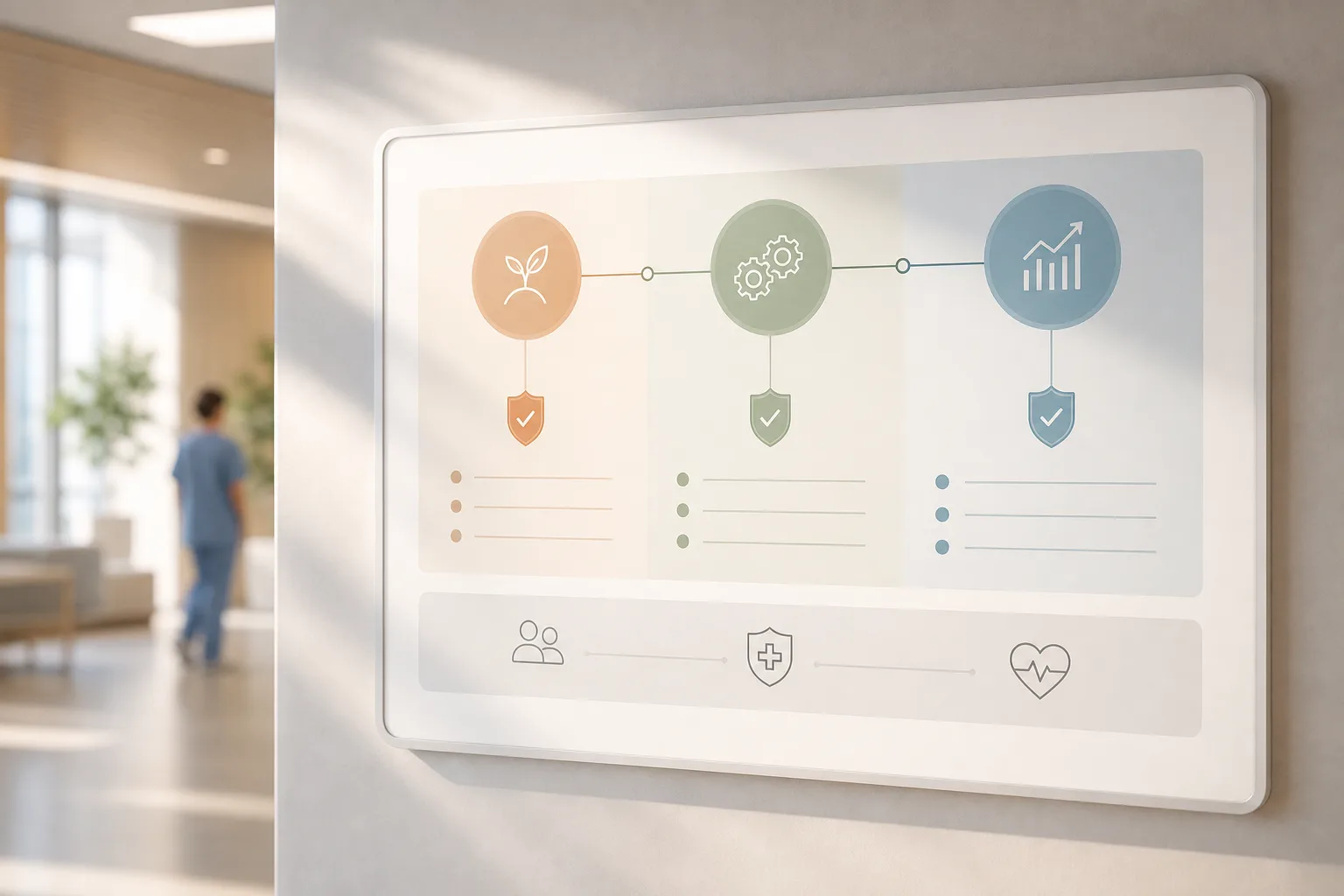
- Start with one service line and 2–3 KPIs; expand only after you see proof.
- Keep HIPAA, consent, and audit in the plan from Step 1 through go-live.
- Use event-based data flows, role-based access, and encrypted channels.
- Blend native CRM AI with focused services when you need flexibility.
- Treat model oversight as a product: drift checks, bias screens, and clear owners.
- Prioritize explainability in UIs so clinicians understand “why this suggestion”.
- Write and maintain a one-page guardrails doc for each use case and publish it where staff work.
What to Do This Week
Block two hours to draft your 90-day plan. Pull your CRM admin, a privacy lead, and one clinical champion into the room. Pick a pilot, write the guardrails, and decide on your first model. If you want a quick confidence check from a team that ships secure, scalable work, book a short consult.
Schedule a free 30-minute review →
For deeper architectural examples and code-friendly patterns, review your current stack against modular AI integration practices and line them up for 2026 upgrades.
What to bring to your kickoff
- Current CRM object model and field dictionary, including consent flags.
- EHR interface inventory (FHIR/HL7 endpoints) and a sample of message payloads.
- A list of 10–15 recent incidents or bottlenecks (missed calls, duplicate tasks).
- Draft KPIs, baseline metrics, and a hypothesis for impact per use case.
- Stakeholder matrix: who approves, who builds, who uses, who monitors.
- Current BAAs, vendor list with contacts, and any security questionnaires already completed.
- A strawman RACI and proposed operating cadence for the pilot.
Bring stakeholders’ availability windows and decision-making SLAs to accelerate scheduling and keep your kickoff on track. Clarify who can approve production access and who owns post-go-live monitoring so you avoid delays later.




